Introduction
In other words, the search engines reward clarity, relevance, and stability, and will pull back quickly the moment any of those start to slip. That’s where most ranking losses begin.
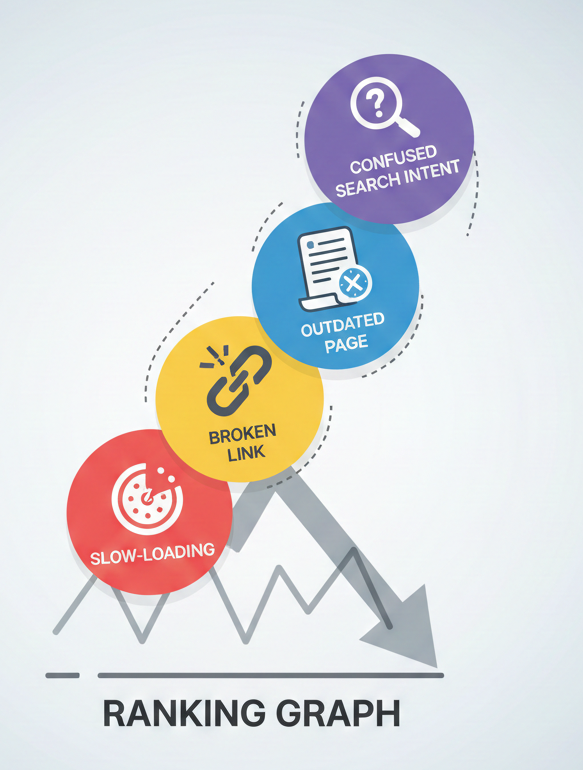
It’s not often that the largest drops in traffic come from dramatic failures; they usually come from a series of quiet SEO mistakes that stack up over months: a missed intent matches here, an outdated page there, and a slow-loading element that gradually becomes a bigger problem as standards shift.
If your site isn’t actively kept up, the performance fades even if the content started out strong. Search behavior changes, competition intensifies, and algorithms are becoming stricter.
The reason you have an advantage is because you understand why these mistakes push the rankings down. From keyword misalignment to pure technical weaknesses in their own right, each of these issues impacts a signal that can be measured: engagement, indexation, crawlability, trust, speed, and authority. Smaller businesses don’t concern themselves with these because they’re busy building the business, not the backend of the site.
Common SEO Mistakes That Lower Your Rankings
SEO is not about guesswork in the hope that your page does well; it is about avoiding the mistakes that slowly affect your ranking.
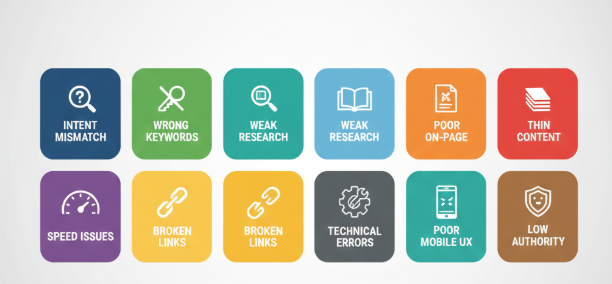
This section breaks down the most common mistakes those that most commonly drag small business sites down the ranks. You get
- Why it hurts your ranking
- A practical fix
- Mini-case examples illustrating how the problem plays out in real situations
It’s only when you deeply understand these mistakes that you know on what to focus, what to audit first, and which fixes give you the quickest payoffs.
This guide covers some of the main areas that make all the difference between a stagnant site and one that’s steadily on the rise, starting from strategic mistakes regarding not paying attention to user search intent and all the way to technical ones like broken links.
1. Ignore Search Intent
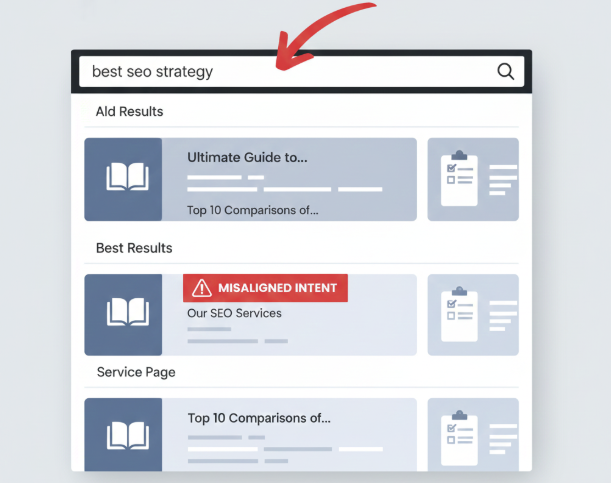
The search intent is the anchor of every ranking. When that’s off, everything else drifts. Google doesn’t guess what users want; it measures. If your page attracts clicks but people leave fast, that signal is loud enough to push the page down. It does it within days, not in a week or so.
Most businesses miss intent because they’re chasing broad keywords. They see volume and assume demand, but high-volume terms mean nothing if the content type does not match what shows up in the results.
Mini Case Example:
Local spa targets the “best skin care routine” and expects bookings. But the reality is that search result page was dominated by long guides, comparison posts, and expert advice. Zero service pages. Zero local pages. So their service page will never satisfy what users came for. Google instantly reads that mismatch.
Why this mistake hurts rankings:
- Your page attracts the wrong searcher
- Lower Engagement: Scroll depth, time on page, and interaction.
- More users bounce back to the results.
- Competitors with formats of similar content emerge.
- This pattern is something Google interprets as a signal of poor relevance.
Fix:
First, research your keyword target’s top ten results. Understand their intent; do not copy them.
Ask yourself:
- Are these informational or transactional?
- Are they tutorials, tools, product pages, or lists?
- What is the dominant angle: how-to, comparison, definition, or service?
- Would the user be satisfied with the format of my page?
That means if your page isn’t aligned with the searcher’s goal, then that keyword isn’t the problem, but rather the format of the content.
2. Targeting the Wrong Keywords
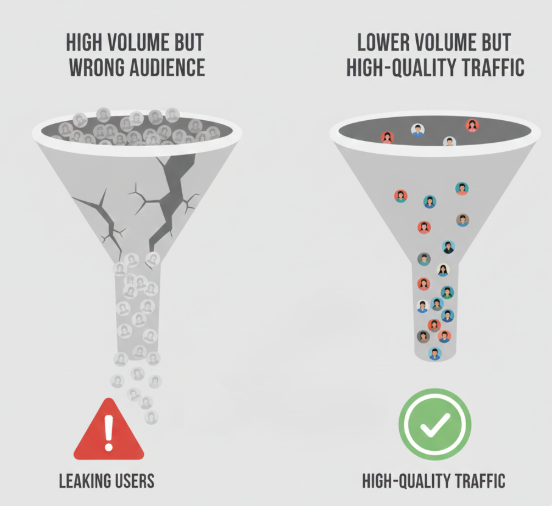
This is one of the most common SEO mistakes there is, and also one of the most damaging.
It’s not all traffic that is good traffic. When the keywords attract the wrong people, those not looking for what you have to offer, then the engagement goes down, the bounce rates rise, and the search engines take that as a signal of low relevance. The rankings will suffer, even when the content happens to be perfect from a technical standpoint.
Mini Case Example:
A boutique marketing agency specialized in the keyword “digital marketing tips” with a view to attracting clients. Their page attracted traffic, but it was largely students and hobbyists and not business owners. Time on page was low; conversions were almost nonexistent. But after shifting to keywords like “digital marketing agency for small business” and “local seo services,” traffic volume did decrease somewhat, but qualified leads actually doubled within three months.
Why this mistake hurts rankings:
- High bounce rates indicate low relevance.
- Poor conversion signals reduce overall engagement metrics.
- Committers with relevant keywords outperform you always.
Fix:
- Audit your current website and then divide the focused keywords based on intent that is transactional, informative, or navigational.
- Then compare your Keywords with top-ranking pages to see whether you match the type of content the user is expecting.
- Target long-tail and intent-aligned keywords that will match your business goals.
- Track the metrics all the time on page, bounce, and conversions to confirm that it is aligned.
Takeaway: volume is absolutely meaningless if the traffic it brings in isn’t matching your goals. You will know that you are targeting keywords correctly when you get not just visits, but meaningful visits that make an impact on both your rankings and your ROI.
3. Weak Keyword Research
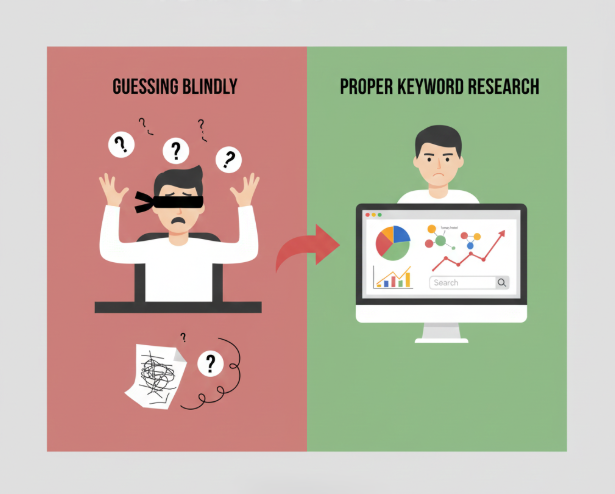
Poor keyword research has caused many sites to fail even before they publish a page. One of the main SEO mistakes is to guess or rely on very high-volume keywords. Search engines reward content for matching real user behavior, not just that which looks popular in a tool.
Mini Case Example:
A SaaS company writes and publishes a blog targeting the search volume for “project management tips.” The traffic went up, but the engagement metrics weren’t great, and ranking simply plateaued. Upon revisiting the SERPs more carefully, they realized that the top-ranking pages were about “project management tools for remote teams” and “project management templates.” Reworking content to include such intent-driven keywords helped improve organic traffic quality, and the ranking of relevant terms jumped within two months.
Why this mistake hurts rankings:
- Fails to capture the right search intent
- Competes in overly crowded keywords without authority
- Misses the long-tail high-conversion terms
Fix:
- Analyze the top-ranking pages to determine which keywords drive results.
- It will include long-tail and niche keywords to fit the audience.
- Consider intent: informational, transactional, and navigational.
- Performance monitoring through various tools like Google Search Console will lead to strategy adjustments.
Strong keyword research enables content to align well with user intent and competitive opportunity. Without strong keyword research, even well-written pages often simply will not rank.
4. Poor On-Page Optimization
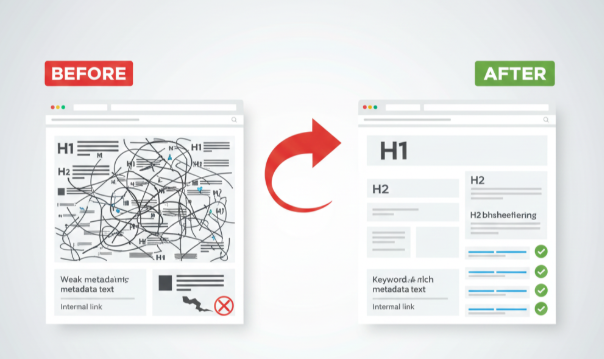
On-page SEO connects your content to the search engine. And when this bridge is weak, good content can fall in ranking. A good meta title, heading, meta description, and URL structure and internal linking, which are relevant to the blog and are clear to both Google and the user, work well. Neglecting any of these signals can lead to ranking stagnancy.
Mini Case Example:
For instance, one such e-commerce store went to the extent of creating really thorough guides for its products. The problem was that it did not take the time to optimize its heading structure, meta description, and internal linking. Flat traffic and high bounce rates were the results. Restructuring such pages with clear H1s/H2s, concise meta descriptions, and logical internal links resulted in an increase in organic visibility by 30% within two months.
Why this mistake hurts rankings:
- Search engines misunderstand page hierarchy and importance
- Poor heading and structure reduce readability, hence increasing bounce rates.
Fix:
- Make sure each page has a proper h1, description H2s for all sections.
- Write metas in a way that it is a description of H2 for sections.
- Structure URLS properly and have proper internal and external links.
- Don’t do keyword stuffing. Focus on clarity and readability for the users.
Strong on-page optimization gives both authority and usability. It’s the bedrock upon which consistency of ranking for content is achieved and what converts visitors effectively.
Quick SEO check?
If these mistakes feel familiar, grab a free mini audit. Spot what’s hurting your rankings and get clear fixes you can use right away.
5. Thin or Outdated Content

That content, either too superficial or outdated, is a silent killer of rankings. Search engines like those pages that thoroughly satisfy user intent, with fresher information. Thin content doesn’t say anything valuable, while older content loses the trust of people seeking the information; it hurts both engagement and authority signals.
Mini Case Example:
A marketing blog article from 2019 centered on “social media trends“ initially attracted solid traffic, but by 2023, the guidance was outdated, causing a steep drop in engagement. Updating this post with data, illustrations, and practical suggestions boosted the time visitors stayed on the page by 40%, and rankings for associated keywords climbed back into the top five.
Why this mistake hurts rankings:
- Pages usually hold worth, leading to extremely high bounce rates.
- Information that is outdated generates neither trust nor credibility.
- Search engines downgrade websites for pages that fail to match the expectations of their visitors.
Fix:
- Audit your content on a regular basis for thin or outdated pages.
- Fill shallow postings with deep insights, examples, and pictures.
- Refresh outdated statistics, case studies, and recommendations.
- Whenever possible, combine related thin posts into comprehensive guides.
Up-to-date content is essential for maintaining your site’s authority, relevance, and competitiveness in search rankings.
6. Slow Site Speed

Slow Site Speed shows both an indication of user experience as well as an SEO signal.
Pages that load slowly frustrate users, raise bounce rates, and send engagement cues to search engines. Since Google views page speed as an element of Core Web Vitals, a page with flawless technical aspects will still rank poorly if it loads.
Mini Case Example:
The e-commerce store was experiencing problems with abandoned shopping carts and a drop in search rankings. PageSpeed Insights identified large uncompressed images and JavaScript-heavy components that were bogging down the website and causing slow loading speeds. By compressing images, postponing script execution, and activating browser caching, load time was cut from 6.5 seconds to 2.1 seconds. Organic search positions improved on product pages, leading to an 18% increase in conversions within 30 days.
Why this mistake hurts rankings:
- Slow page loading leads to dwell time and higher bounce rates.
- Low interaction signals search engines that the content is of importance.
- The largest group of visitors consists of users; they will experience the greatest impact.
Fix:
- Compress images and use modern formats: WebP and AVIF.
- Minimize and defer JavaScript where possible.
- Activate browser caching. Utilize a Content Delivery Network (CDN).
- Frequently monitor Core Web Vitals. Enhance any subpar metrics that appear there.
Quicker loading pages lead to user satisfaction, higher engagement rates, and increased credibility for your website in search engine rankings.
7. Broken Links
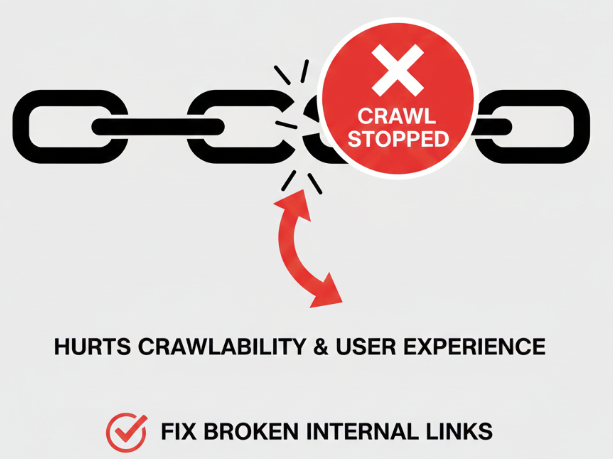
Users get annoyed by links, yet they subtly weaken your SEO credibility.
When search engines scan your website and encounter broken links, it signals inadequate upkeep and diminished credibility. Broken internal links hinder crawling, whereas broken external links lessen the worth of outbound links.
Mini Case Example:
Within this smaller e-commerce blog, the majority of internal links led to deleted product pages. The visitor count started to drop; numerous leading posts fell off the first page. After conducting a link audit and dedicating time to redirect or fix broken URLs, rankings began to steady, with multiple posts recovering their ranks in as little as six weeks.
Why this mistake hurts rankings:
- Broken internal links hinder search engine crawl efficiency
- Users encountering dead links leave quickly, increasing bounce rates
- Poor external links reduce trust signals and content credibility
Fix:
- Conduct a full site audit using tools like Screaming Frog, Ahrefs, or SEMrush.
- Fix or redirect broken internal and external links promptly.
- Regularly schedule link audits to prevent new issues from accumulating.
- Ensure anchor text is relevant when replacing or redirecting links.
A clear URL layout guarantees that both visitors and search engines can effortlessly browse your website while maintaining authority and ranking capacity.
8. Ignoring Technical SEO Issues
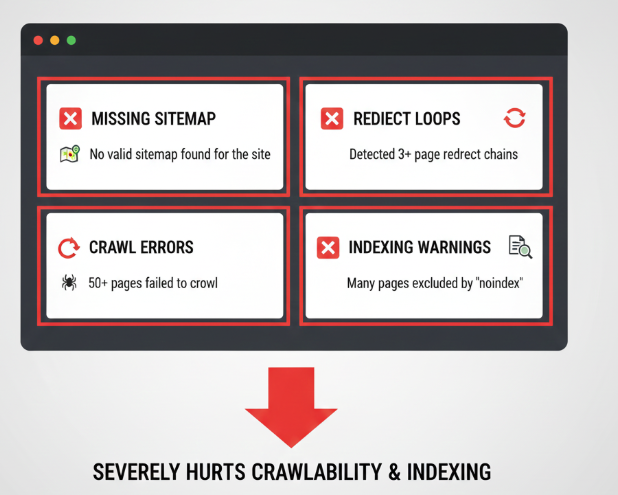
Technical SEO may not be the most important aspect, yet it serves as the foundation for search effectiveness. Crawl mistakes, redirect loops, absent sitemaps, and indexing issues prevent search engines from reaching or assessing your pages. Even the finest content can stay hidden due to bias.
Also Read: Technical SEO Checklist
Mini Case Example:
This SaaS blog contained pages that weren’t indexed due to the absence of an XML sitemap and numerous redirect loops. Although the blog consistently released guides, the traffic remained stagnant. After correcting the sitemap submission and fixing the redirects, organic traffic increased by 28% within two months. Pages previously invisible in search results began ranking in the Top 10.
Why this mistake hurts rankings:
- Search engines can’t discover or index your pages efficiently
- Duplicate or conflicting redirects dilute link equity
- Misconfigured canonical tags confuse ranking signals
Fix:
- Submit a correct XML sitemap to Google Search Console.
- Audit redirects and eliminates chains or loops.
- Ensure canonical tags point to the correct, authoritative URL.
- Monitor crawl errors and indexing issues regularly.
Technical SEO assists in organizing your website to enhance its visibility. Without applying additional efforts, content, keywords, and speed may not function effectively.
9. Poor Mobile Experience
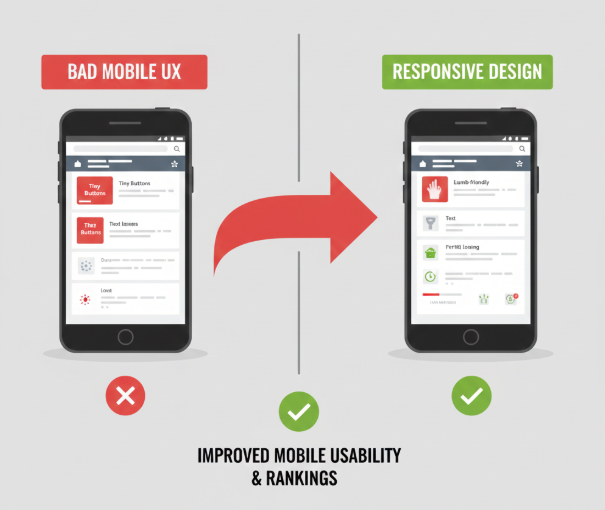
Mobile usability is no longer optional. A majority of searches take place on mobile devices. Pages that are slow, unresponsive, or a pain to use on phones frustrate users and increase bounce rates. What’s more, with Google’s mobile-first indexing in full flow, the quality of your mobile site directly influences the rankings.
Mini Case Example:
A website for a restaurant featured a centralized design with small buttons and very slow loading times on mobile devices. Mobile visitors promptly exited the site, and the organic keyword rankings dropped. After switching to a design that enlarged the buttons and improved mobile load speed, the duration spent on the site increased by 35%. Local search rankings recovered, reaching the top three results within two months.
Why this mistake hurts rankings:
- Poor mobile UX increases bounce rates and lowers dwell time
- Google prioritizes mobile-first pages in indexing and ranking
- Slow mobile performance affects Core Web Vitals, a direct ranking signal
Fix:
- Ensure your website is fully responsive across devices and screen sizes.
- Optimize images, fonts, and layouts for mobile load speed.
- Make navigation simple with easily tappable buttons and clear menus.
- Test mobile performance regularly using Google’s Mobile-Friendly Test and Core Web Vitals tools.
An intuitive mobile interface motivates users to remain on your site, improves engagement metrics, and elevates your website’s position in search engine results.
10. Lack of Backlinks and Domain Authority Forces
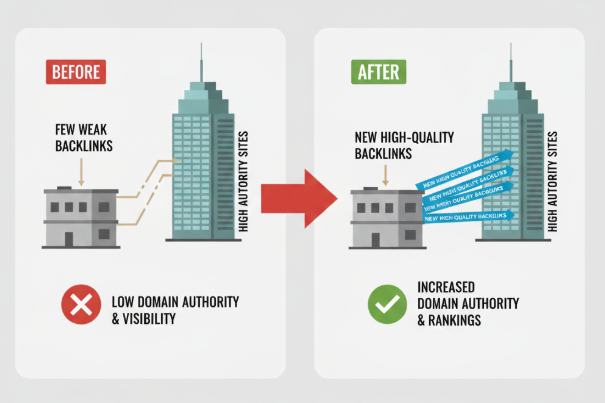
Backlinks remain one of the factors considered for ranking.
Optimized pages find it hard to compete if your domain lacks authority. Search engines consider high-quality backlinks as signals of reliability. A poor backlink profile limits your chances of outdoing competitors, no matter how outstanding your content is.
Mini Case Example:
A specific SaaS startup. Published useful guides, but gained visibility due to the domain having very few backlinks. After securing five high-authority backlinks from sites within the industry, their guide jumped from page three to the front page of search results for one of their target keywords. For that keyword, the traffic doubled within six weeks.
Why this mistake hurts rankings:
- Pages without backlinks struggle to compete in competitive SERPs
- Lack of authority reduces trust signals to search engines
- Even strong content may remain buried without external validation
Fix:
- Build backlinks from authoritative, relevant sources through guest posts, collaborations, or industry mentions.
- Avoid low-quality or spammy links. They can harm your authority.
- Track new and lost backlinks regularly using tools like Ahrefs or Moz.
- Focus on creating content worth linking to that is data-driven, original, and actionable.
Backlinks, with domain authority, boost the effectiveness of any SEO plan. Without them, your website remains incomplete.
Also Read: SEO Activities That Still Matter in the AI Search Era
Quick Tools & Routine Checklist
By using tools and a reliable approach, SEO mistakes can be promptly fixed. Adhering to this checklist will guarantee your website stays optimized, noticeable, and most importantly, competitive.
| Task | Tool/Method |
| Check page speed & Core Web Vitals | Google PageSpeed Insights, Lighthouse |
| Audit site links (internal & external) | Screaming Frog, Ahrefs, SEMrush Site Audit |
| Monitor crawlability & indexing | Google Search Console (Coverage, Sitemap, Indexing) |
| Review mobile usability | Google Mobile-Friendly Test, browser dev tools |
| Track backlinks & authority | Ahrefs, Moz, SEMrush |
| Update outdated content | Content calendar, manual review, analytics insights |
| Keyword performance | Google Search Console, Ahrefs, Ubersuggest |
How to use it effectively:
- Schedule audits monthly: don’t wait for a problem to appear.
- Prioritize fixes based on impact: high-traffic pages and core products first.
- Document changes: track what you updated, added, or removed.
- Monitor results: check rankings, engagement, and conversions after updates.
A simple, consistent routine keeps your site healthy, prevents SEO mistakes from accumulating, and ensures every page has the best chance to rank and convert.
Conclusion
SEO is not a one-time task. It’s a system of continuous attention and improvement.
Avoiding these common SEO mistakes, from misaligned keywords to technical oversights, creates a foundation for sustainable rankings and growth. Small businesses and beginner sites often lose ground not because of content quality, but because of overlooked details that compound over time.
By auditing search intent, refining keyword targeting, maintaining content quality, optimizing on-page and technical factors, improving speed, fixing broken links, and building backlinks, you’re giving your site the signals it needs to perform.
Consistency matters more than perfection. A site that is regularly maintained, updated, and aligned with user expectations will steadily climb and hold strong positions.
Use the checklist, run audits, and make adjustments proactively. That’s the difference between a site that drifts and a site that grows.
The takeaway is simple: spot mistakes early, fix them strategically, and your SEO results will reflect that effort.