Introduction
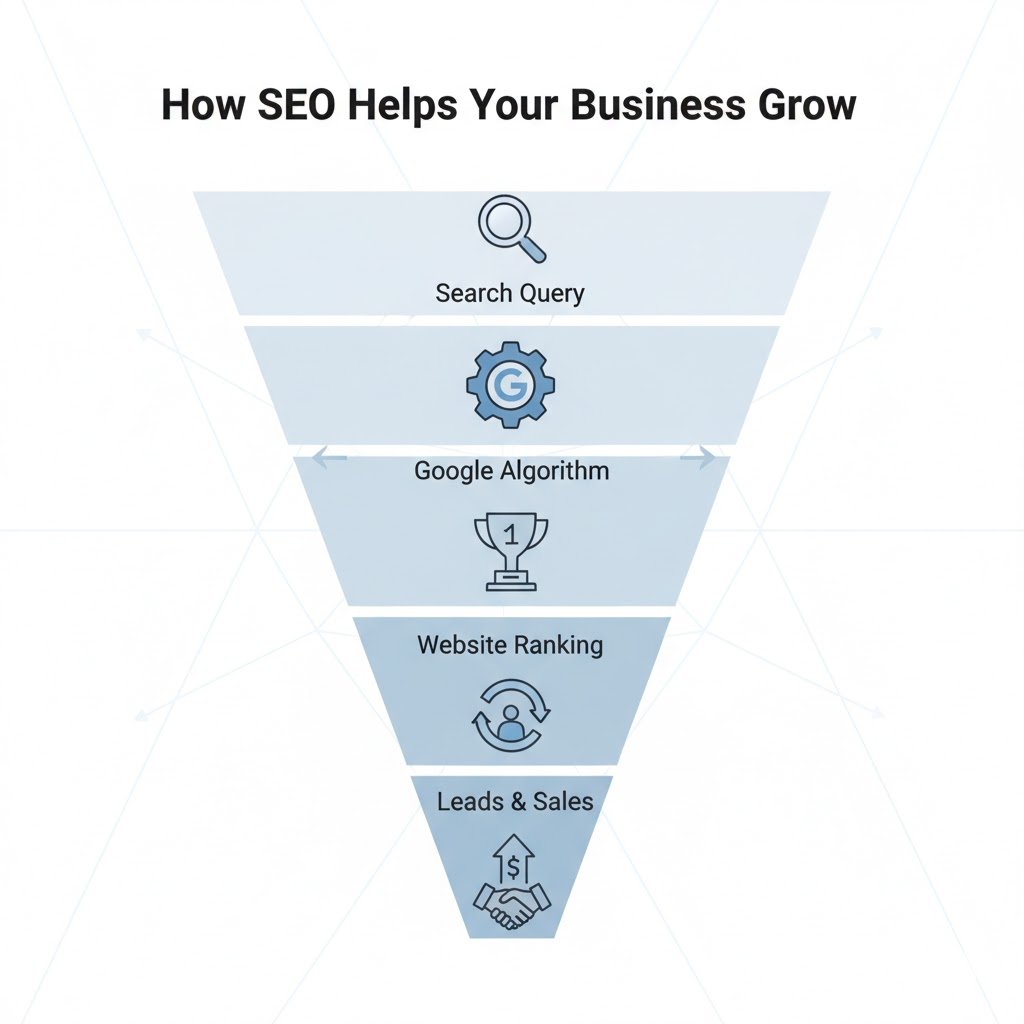
If you’re new to SEO, this guide is the best place to start. You’ll learn what SEO is, how it works, and how to use it to make your website appear in Google search results.
This tutorial will provide the beginner with a good starting point for learning what SEO is, how it works, and how to use it so your website will appear in Google search results.
The thing is, SEO does not have to be complicated and confusing. Most beginner guides on it turn it into that because they use way too many terms and very few real examples. This guide for beginners keeps it simple, focusing on what really matters.
Below, we will outline some steps that one can follow and then detail how one can learn the very basics of SEO for no cost.
What is SEO?
SEO stands for Search Engine Optimization. It’s the process of improving your website so that it appears higher on Google and other search engines when people look for something you offer.
SEO is about helping search engines understand your content and showing it to the right people at the right time.
For every ‘how to learn SEO’ search one conducts, Google goes through millions of pages for the best that explains it clearly and quickly. The sites explaining better with the right keywords and useful content always tend to come first.
The search engines consider a few things when determining what pages to show:
- Relevance: How well your content reflects what is being looked for.
- Authority: How much a site is trusted or is popular in the spheres of backlinks, engagement, and good user experience.
You don’t need to be some sort of expert in fancy algorithms. Generally speaking, simply create useful, readable content that is organized around providing real answers to real questions.
Everything from title tag optimization to improving site speed and creating better blog content all that you’re doing with SEO helps the algorithms understand why your site should rank better in the results.
What is the Real Importance of SEO?
SEO is not about ranking higher but all about visibility when people look for what you offer. It’s showing up right where someone needs the solution you can provide.
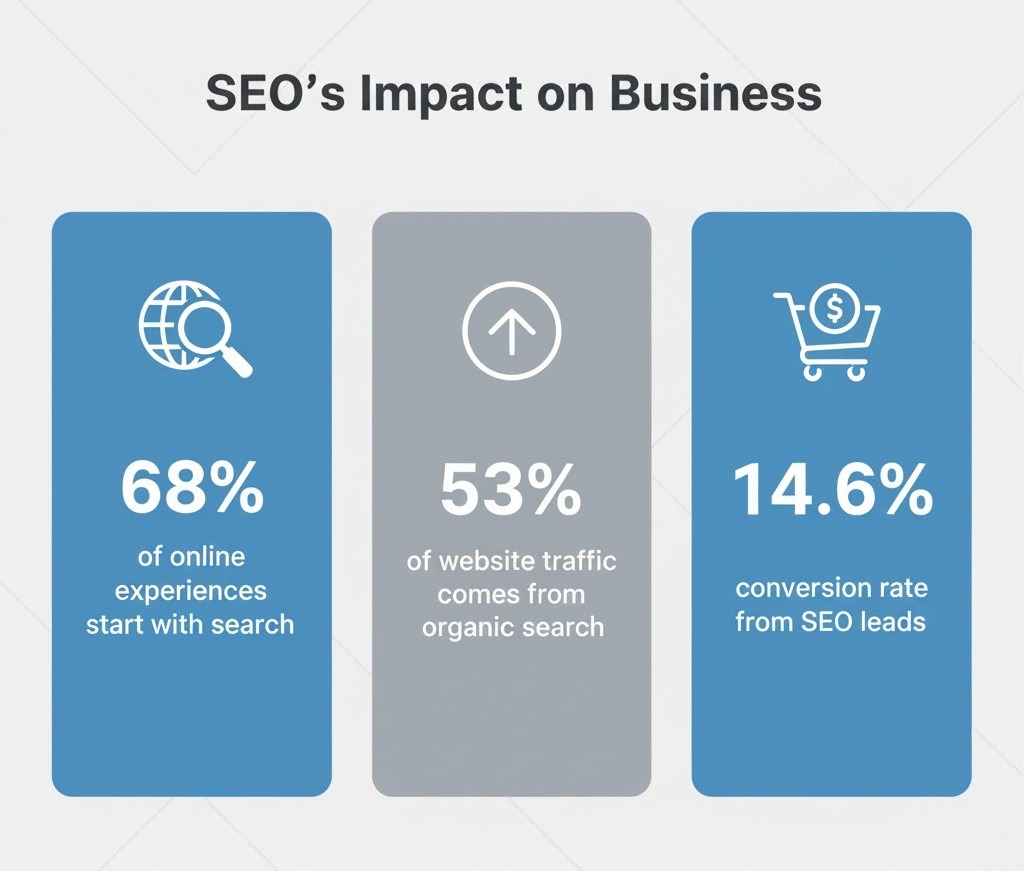
It has been documented that about 68% of all online experiences start with a search engine, while about 60% of people research a company online before purchasing anything. That means that if your business is not showing up on Google, for most of your potential customers, you don’t exist.
The simplest example would be the following:
Let’s say that you own a bakery in Delhi, and someone around you searches, “fresh cupcakes near me.” In an instant, Google lists bakeries that have optimized their website for location-based keywords, photos, and reviews. If your bakery has done its SEO right, then you come up in that list, perhaps even in Google’s “Map Pack.”
That bridges the gap between what they’re looking for and what your business provides.
Types of SEO
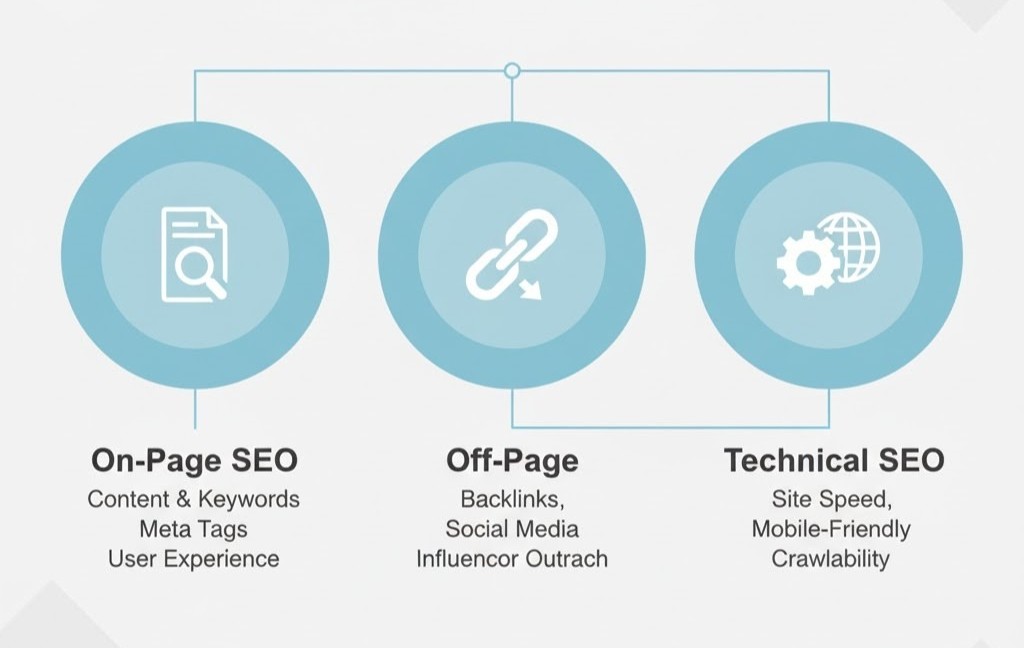
There are quite a number of types of SEO, and learning the different types will help in furthering the visibility of your website. While all types may differ in their focus, they interact to help your site rank better.
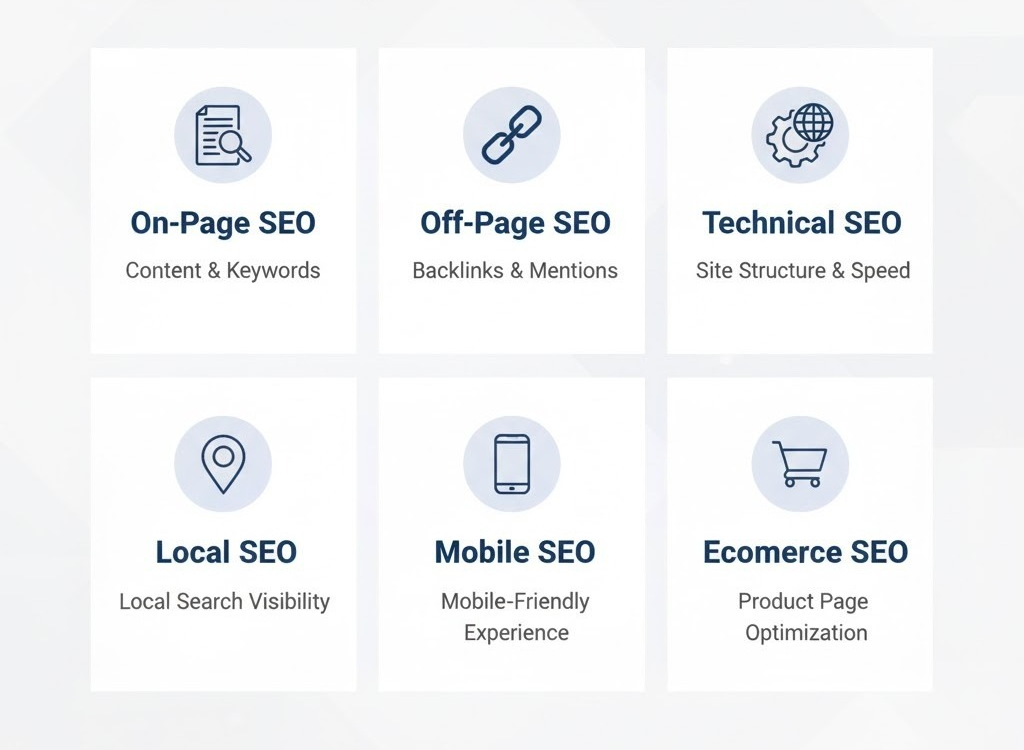
1. On-Page SEO
On-page SEO is all about what’s on your site, in other words, the content and other elements you have control over.
It essentially tells Google what your page is about, based on which it matches your page against searches containing those very keywords.
Key activities include:
- Target keywords should be placed in title tags, headings, and within the meta description.
- We create original, quality content that actually answers real questions.
- Include internal linking where appropriate to route back to related pages.
- Optimizing images by giving them descriptive file names and ALT text.
Example:
If it’s a post about “how SEO works,” the title of the post, the headings, and the URL should denote just that.
2. Off-Page SEO
Off-page SEO means all the work that is done outside of your website. It is through this that the ranking of your website will be defined.
It’s all about building links and mentions from other websites, mostly to increase your website’s reputation.
How to improve off-page SEO:
- Get backlinks from authoritative sites.
- Guest blogging on other industry-specific blogs.
- Getting featured on social media and business listing websites.
Example:
That means if some marketing website links to your “SEO guide for beginners,” that is a signal to Google that your content is credible.
3. Technical SEO
Technical SEO enables search engines to crawl, understand, and index your site correctly.
You don’t have to be a coder to get this right; just focus on the basics.
Checklist for beginners:
- Make sure your website loads very fast.
- Use HTTPS for a secure connection.
- Your site must look great on a mobile phone.
- Fix broken links and duplicate pages.
- Send the Sitemap to Google Search Console.
Suggestion: Tools like PageSpeed Insights can help you check performance in seconds.
4. Local SEO
Local SEO helps your business come up in the location-based search results, like “coffee shop near me.”
Of real importance are the local store, restaurant, and service business.
How to Improve Local SEO:
- Create and verify your Google Business Profile.
- Include the address, telephone number, and hours of operation.
- Encourage your customers to leave reviews.
- Use local keywords, for example, “SEO services in New York.”
Fact: About 42% of searchers click within Google’s Local Pack results, so optimizing locally can make a big difference.
5. Mobile SEO
Over half of all web traffic is now coming through mobile devices, so naturally, Google wants to give preference to the sites that are mobile-friendly.
To optimize for mobile SEO:
- Responsive design to fit on any screen size.
- Keep the navigation on your site simple.
- Avoid large images and/or Flash.
- Test your pages with Google’s Mobile-Friendly Test.
The better the experience on phones, the higher Google will rank your site for mobile searches.
6. eCommerce SEO
If you run an e-commerce store, SEO for e-commerce gets your products into the results when people are searching for what you’re selling.
Focus areas:
- The title of your product and the description must be optimized with your keywords.
- Add unique content to each product page
- Include high-quality product images with your reviews.
- Build backlinks from relevant shopping or review sites.
Example:
With every “best noise-cancelling headphones”-related search, Google will return results with product pages that have optimized content, images, and reviews.
CTA:
Not sure where to start?
Our team at Digicobweb can help you identify what’s missing on your site and create a simple action plan to improve your rankings.
How to Get Started with SEO (Step-by-Step for Beginners)
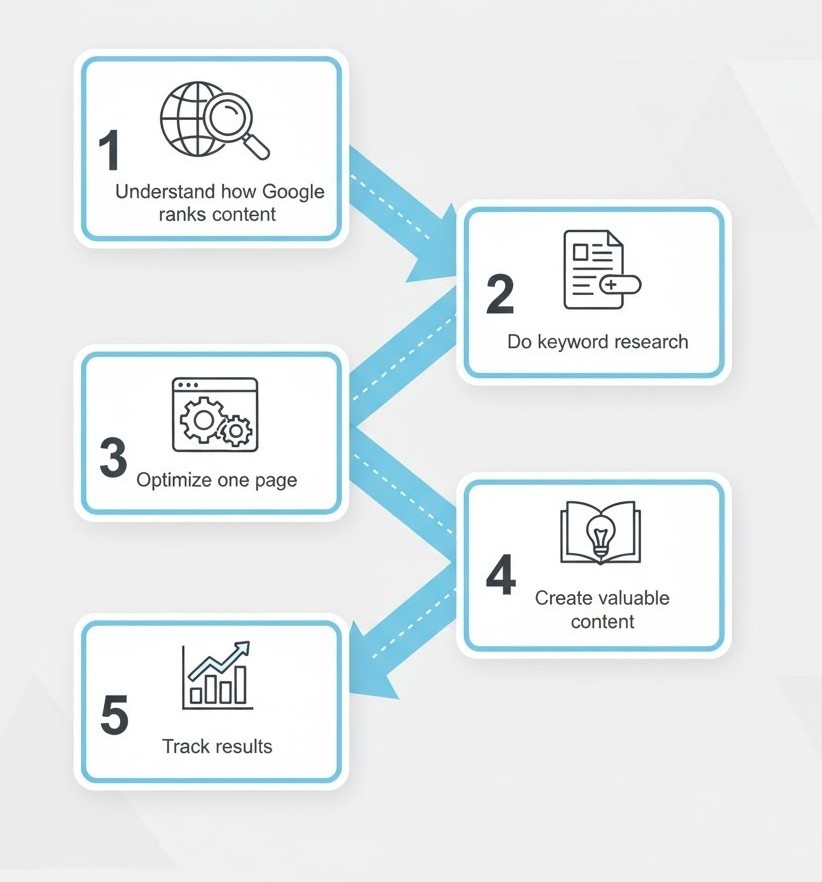
Step 1: Understand how Google ranks content
The final goal of Google has always been to make available useful, reliable, and relevant content for every search.
They do make use of computer programs called crawlers that crawl through millions of web pages and subsequently rank them against hundreds of signals, from keywords down to quality, links, and user experience.
Example:
Consider a search like “how SEO works,” wherein Google picks content that clearly explains the process with no fluff, proper headings, and fast loading.
Suggestion: if your content serves the reader more than it tries to sell, then you’re off on the right foot.
Step 2: Do simple keyword research using free tools
The keywords are what people use when finding your content.
You don’t have to use paid software in order to find them just start by using the free tools available: Google Keyword Planner, AnswerThePublic, or Ubersuggest.
Example:
If your blog is about fitness, every time you enter “home workout” in these tools, you will get related searches like “home workout for beginners” or “15-minute workout at home.”
Those would be your possible keywords:
Step 3: Optimize one page at a time
Take any one page or post and enhance it. Place your target keyword in the title, URL, first paragraph, headings, and meta description. If relevant, include internal links. All images on the page should include descriptive ALT text.
Example:
If your page is entitled “SEO guide for beginners,” then your URL might be /seo-guide-for-beginners, while your headings must reflect the same phrase naturally.
Step 4: Create valuable content that answers real questions
Search engines give better positions to content that actually helps users. Instead, create content for people!
Any explanation undertaken should, in the first instance, be lucid and well-structured; wherever necessary, small examples or data can be used to explain things.
Example:
If you write a post about “how to get started with SEO,” walk readers through the process with one clear takeaway per step, just like this section does.
Step 5: Track your progress with Google Search Console
Once you have optimized a number of pages, set up Google Search Console so you can track your results.
This will let you know what keywords your pages rank for, the number of clicks on those pages, and where one needs to make improvements.
You can see impressions, clicks, and average position. The same data the analysis in this blog started from.
Recommendation: GSC should be checked at least once a week to monitor the growth and to find new keyword opportunities.
How to Do Basic SEO on Your Website
Now that you have understood how SEO works, it is time to put that into practice on your website. What follows is an explanation of what basic SEO looks like in practice.
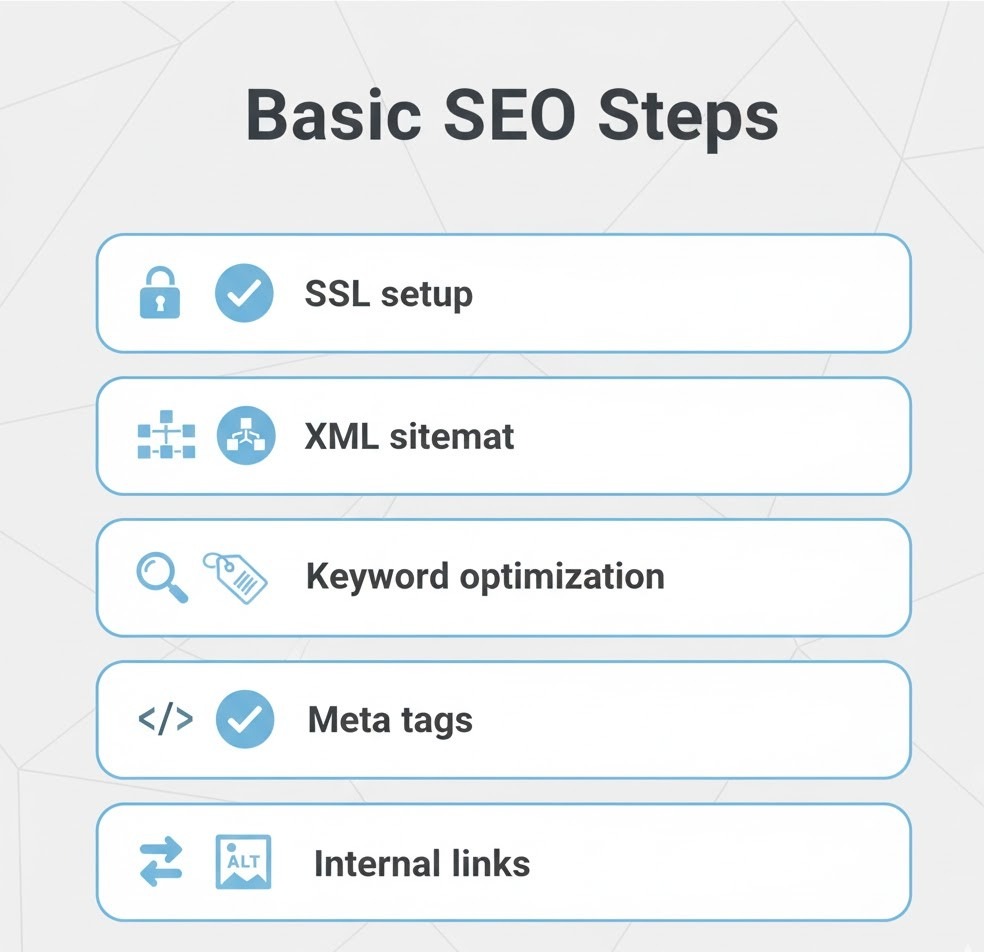
1. Set up the essentials
The first step in optimizing content: your website should be crawlable and safe.
- Add an SSL certificate to get HTTPS. Google likes secure sites.
- Create an XML sitemap for your website, and then submit it to the Google Search Console.
- Check your /robots.txt file and make sure you’re not blocking important pages.
Example:
Install an SEO plugin if using WordPress. It will do most of the work of creating sitemaps for you and handle titles and descriptions for indexing with much more ease.
Recommended: Yoast or Rank Math.
2. Optimize your on-page elements
Make sure each page on your website is telling Google what it is about.
Here’s where to focus:
- Title Tag: This should naturally contain the most important keyword.
- Meta Description: In a few appealing and click-worthy lines, summarize what is being published.
- Headings: These are H1 and H2. Use these to logically structure your topic.
- ALT text: Describe what is in an image, using keywords
Example:
You can use this as the title for an SEO beginner’s page: “Learn SEO Basics: A Simple SEO Guide for Beginners.”
3. Improve your site speed and mobile experience
That means if the page takes ages to load or is all messed up on their phones, they leave.
Check your website’s speed using PageSpeed Insights or GTmetrix.
Compress images, delete unnecessary plugins, and use responsive themes.
Example:
In fact, if it’s taking more than 3 seconds to load on a mobile device, the fix in and of itself improves your engagement rate.
4. Build internal links
Link new pages to older related pages. This aids in better crawling of your site by Google, as well as allowing your visitors to stay longer at your site.
Example:
If you have written a post on keyword research, then link to it from your SEO Guide For Beginners page.
5. Keep improving with data
Track traffic, ranking, and click-through rate in Google Analytics and Search Console.
These will tell you what keywords bring visitors and which pages need extra attention.
Suggestion:
Don’t try to fix everything at once. Take one page, apply this set of fundamentals, and then over time, see how your ranking and traffic change.
Common Beginner SEO Mistakes
When you’re first starting with SEO, it’s very easy to overcomplicate things or follow outdated advice.
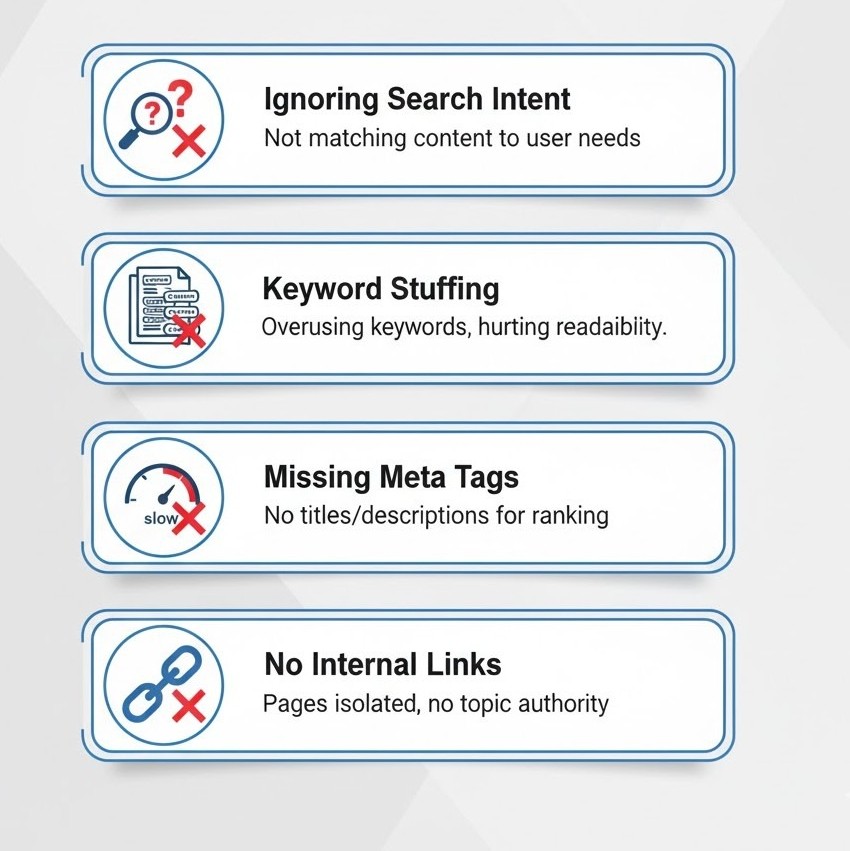
Here are a few common mistakes and how to fix them, especially for beginners:
1. Ignoring search intent
Most beginners only pay attention to keywords, whereas actually Google doesn’t match words; it matches meaning.
It is always necessary to pose the question of what a user is trying to find before anything gets written.
Consider that someone who is searching for “learn SEO basics” is not looking to be sold but looking for actionable information.
Fix: Check the top 5 results for your keyword. Make sure that your format matches what the user would expect: guides, tutorials, lists, etc.
2. Skipping title tags and meta descriptions
These are the first things the search engines read, and without a keyword-rich description, you give away the most precious click-through opportunities.
Fix: Keyword-driven and catchy meta titles and descriptions for each page.
Example:
Meta Title: SEO Guide for Beginners | Learn SEO Basics Step by Step
Meta Description: Here’s a simplified description of how SEO works, how to get up and running, and steps toward better visibility for your site.
3. Stuffing keywords
Nowadays, most keywords cause more problems than they help.
It should sound like real content written by a person, not written like a list of keywords.
Fix: Refine the paragraph to include your keyword phrase just once or twice, or another keyword phrase that works in context, and then just try to answer the reader’s question.
4. Neglecting internal links
Too many new site owners don’t interlink their pages, which really is a missed opportunity from both ranking and user experience perspectives.
Fix: Link to other pages on your site if relevant. Example: From this post to your On-Page SEO or How SEO Works guide.
5. Forgetting to track results
You will never know what works if you don’t track it.
Most bloggers publish and forget or never revisit the content in any way.
Fix: Google Search Console identifying the queries driving impressions and clicks, creating content based on real data.
6. Expecting instant results
SEO does not happen overnight; it takes weeks, if not months, for any significant change to appear.
Fix: It is all about progress, updating the old pages, and getting links over time with your content. Those are things in SEO that pay off constantly.
SEO Terms You Should Know
If you are new to the world of search engine optimization, there are quite a few terms that sound very technical. Most of them are quite simple once you get the hang of them; here’s a quick glossary that will help you grasp the basics:
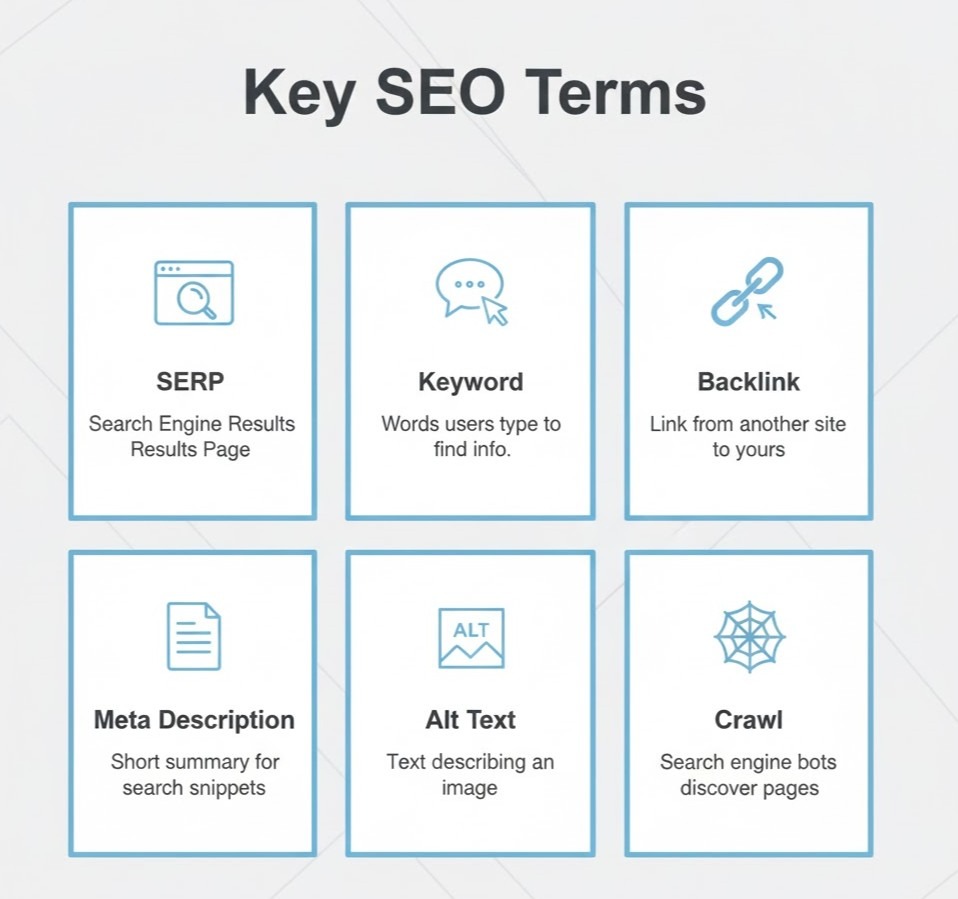
1. SERP (Search Engine Results Page)
When you search for anything on Google, the following page is what you get. Every listing that shows up on that page, whether an advertisement, an organic result, or a snippet, is all considered a part of the SERP.
For example, if you go to Google and type in “SEO guide for beginners,” whatever results are returned comprise your SERP results.
2. Keywords
The target keywords refer to the words or phrases a user types into a search engine. You’re going to want to create your content in a natural way that matches those terms.
Examples include “Learn SEO basics” or “how to get started with SEO,” targeting the keywords at beginners.
3. Meta Title & Meta Description
The meta title is what will show up on Google in their search results as that blue clickable link, and the meta description is the short summary underneath.
Both impact whether people click on your page.
Tip: Consider keeping your title under 60 characters and your description under 160 characters.
4. Backlinks
These are the links coming from other websites to your website.
Backlinks are considered “votes of trust.” The more quality backlinks you acquire, the more your site will appear credible in the view of Google.
5. Alt Text (Image Alt Tag)
Describe what the image is about, as this will also help Google contextualize your visuals, too. This is also going to make things more accessible.
Example: instead of “IMG_123.jpg,” name it “seo-guide-for-beginners-chart.jpg.”
6. Anchor Text
The clickable text in a hyperlink.
Example: The anchor text in the sentence, “Check our guide on On-Page SEO,” is On-Page SEO.
7. Crawl & Indexing
They will return the favor by sending their bots to your website, crawling through, and indexing in their database.
Well, if your page isn’t indexed, then you are unable to have it show up in search results.
8. Bounce Rate
The bounce rate is defined as the percentage of visitors who leave your website after visiting just one page.
A high bounce rate could indicate that your content is irrelevant to what visitors expected or that your site is too slow.
9. Organic Traffic
People entering your website based on organic searches, and not through paid ads.
10. Featured Snippet
The answer that sometimes appears at the top of your Google search results, encased in a box.
This is where the content appears when it directly answers the user’s question in clear, concise terms.
Conclusion
Learning SEO isn’t about mastering every technical detail from day one. It’s about understanding how search engines work, applying a few smart steps, and staying consistent.
By now, you should have a clear idea of how SEO works, how to get started with SEO, and how small changes like optimizing titles or improving site speed can make a big difference.
If you apply what you’ve learned from this SEO guide for beginners, you’ll start seeing your pages climb higher, your traffic grow, and your brand appear more often when people search for what you offer.
Here’s the thing: SEO is a long game, but every improvement adds up.
And if you’d rather focus on your business while someone else handles your SEO growth, we can help.