
Introduction
SEO plugins are everywhere. But most of them are built for site owners who just want a green score, not for marketers who need results they can explain, defend, and scale.
If you’re responsible for traffic growth, content performance, or monthly reporting, you already know this: installing a plugin doesn’t equal better rankings. What matters is how well a plugin supports your SEO workflow, from keyword decisions and on-page changes to tracking impact and reporting outcomes.
That’s why this guide is different.
This isn’t a generic list of WordPress SEO plugins. It’s a practical breakdown of top SEO plugins for marketing professionals and SEO marketers who care about visibility, intent alignment, and measurable gains. The focus is on tools that help you:
- Make better on-page decisions
- Understand content performance beyond surface-level scores
- Automate technical tasks without losing control
- Support SEO reporting and strategy, not replace it
You’ll see where each plugin fits, when it makes sense to use it, and where marketers often misuse it. No hype. No “install and rank” promises. Just tools that actually support real SEO work.
Up next, we’ll break down what actually makes an SEO plugin valuable for marketers, beyond feature lists and checkboxes.
What Makes an SEO Plugin Valuable for Marketers
Here’s the thing most plugin roundups miss: features don’t matter unless they change decisions.
For marketers, an SEO plugin earns its place only if it helps you do one or more of these things better, faster, or with fewer blind spots.
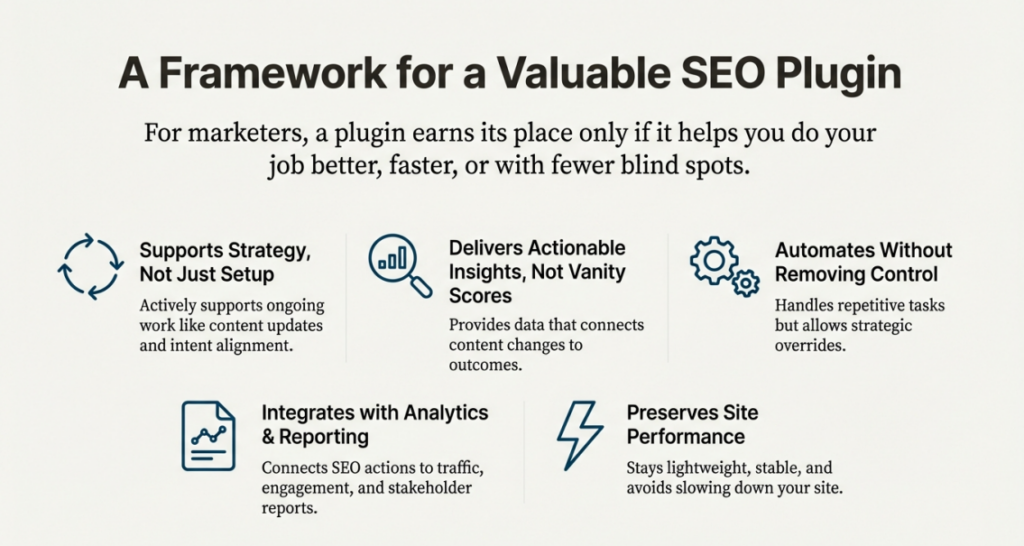
It Supports Strategy, Not Just Setup
A good plugin doesn’t just help you “set SEO basics” and disappear. It should actively support ongoing work like:
- Updating existing content based on performance
- Improving pages that already rank but don’t convert
- Aligning content with search intent, not just keywords
If a plugin only helps during site setup and adds no value afterward, it’s not built for marketers.
It Gives Actionable Insights, Not Vanity Scores
Marketers don’t need more traffic-light indicators.
What actually helps:
- Clear guidance on why a page might underperform
- Visibility into missing elements that affect click-through rate
- Data that connects content changes to outcomes
Plugins that obsess over generic “SEO scores” often distract teams from real improvements.
It Reduces Manual Work Without Removing Control
Automation is useful only when it’s predictable.
The best SEO plugins:
- Generate XML sitemaps correctly without constant babysitting
- Handle schema and metadata at scale
- Manage redirects cleanly as content evolves
At the same time, they still let marketers override defaults when strategy demands it.
It Plays Well With Analytics and Reporting
Marketers live in reports. Plugins that integrate with analytics tools or surface meaningful performance data save hours every month.
Strong plugins help you:
- Track content performance inside WordPress
- Connect SEO actions to traffic and engagement
- Explain results to clients or stakeholders without exporting five tools
It Doesn’t Hurt Site Performance
This one’s often overlooked.
Some WordPress SEO plugins add unnecessary scripts, slow admin panels, or conflict with themes and page builders. For marketers, performance issues undo SEO gains fast.
A valuable plugin stays lightweight, stable, and compatible with the rest of your stack.
SEO Automation Plugins for Workflow
Here’s the thing. Most SEO work that slows marketers down isn’t strategic. It’s repetitive setup, cleanup, and maintenance. Automation-focused SEO plugins exist to take that load off so teams can focus on planning, testing, and reporting.
This section covers where automation actually helps and where marketers should still stay hands-on.
What SEO Automation Really Means for Marketers
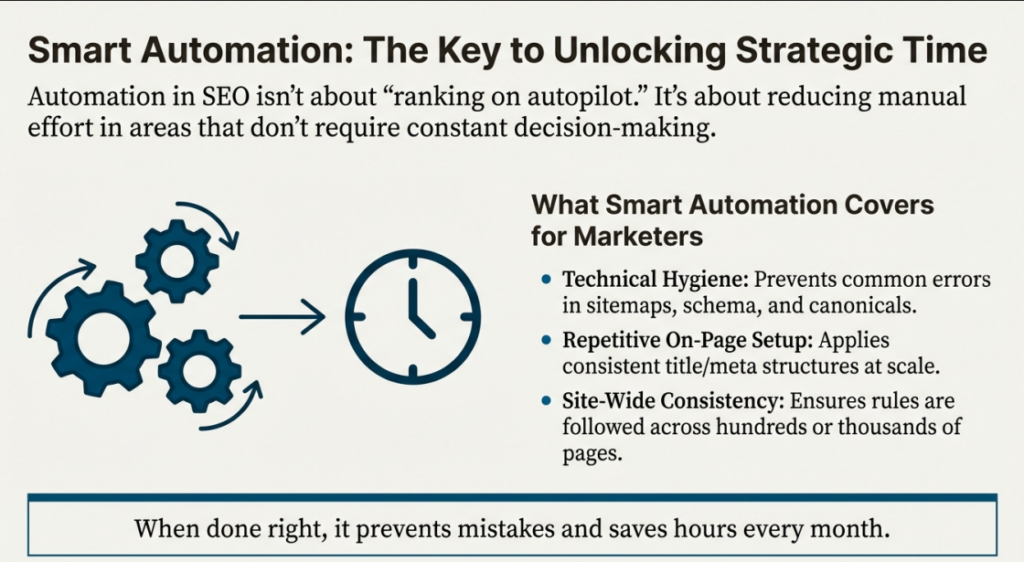
Automation in SEO plugins isn’t about “ranking on autopilot.” It’s about reducing manual effort in areas that don’t need constant decision-making.
For marketing teams, automation usually covers:
- Technical hygiene
- Repetitive on-page setup
- Site-wide consistency
When done right, it prevents mistakes and saves hours every month.
Tasks SEO Plugins Commonly Automate Well
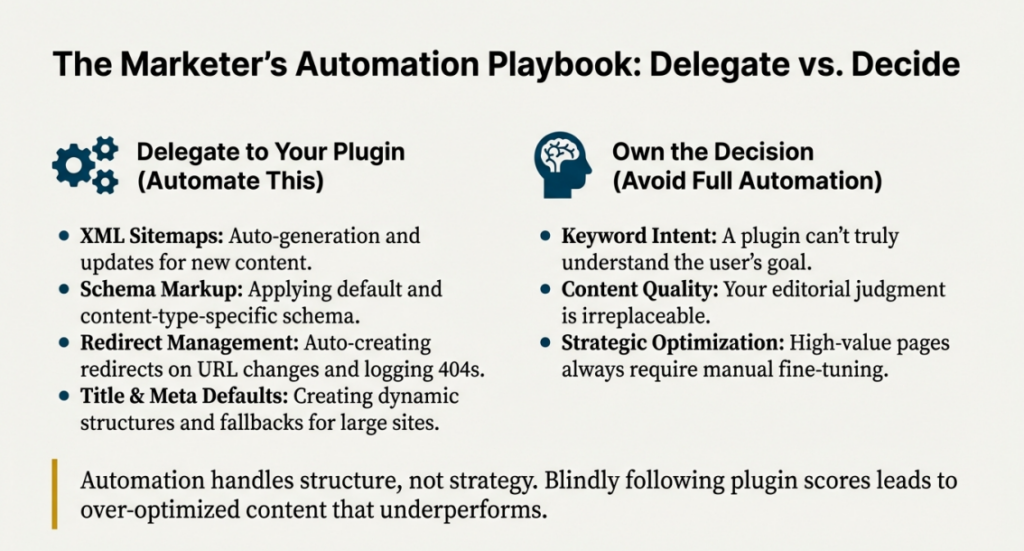
XML Sitemaps
Most modern WordPress SEO plugins automatically:
- Generate XML sitemaps
- Update them when new pages go live
- Exclude noindex or duplicate pages
This ensures search engines always see the right URLs without manual updates.
Plugins that handle this well:
- Yoast SEO
- Rank Math
- All in One SEO
Schema Markup
Schema is powerful, but manual setup is time-consuming.
Automation-focused plugins allow marketers to:
- Apply default schema site-wide
- Assign schema by content type
- Avoid repetitive markup errors
Rank Math, Schema Pro, and SEOPress are especially useful here.
The key is setting rules once, then reviewing results instead of configuring every page.
Redirect Management
Redirects often break during:
- Campaign landing page updates
- Blog URL changes
- Site migrations
SEO plugins automate:
- Redirect creation when slugs change
- Redirect logs for error tracking
- Bulk redirect management
This prevents traffic loss without constant monitoring.
Title and Meta Defaults
For large sites, writing every title manually isn’t always realistic.
Automation allows:
- Dynamic title structures
- Category-based meta descriptions
- Fallbacks for missing fields
Marketers should still manually optimize high-value pages, but automation keeps the rest clean.
Where Marketers Should Avoid Full Automation
Automation helps with structure, not strategy.
Avoid relying on plugins to:
- Decide keyword intent
- Judge content quality
- Replace editorial judgment
Blindly following plugin scores often leads to over-optimized content that reads poorly and underperforms.
How Automation Frees Time for Strategy
When plugins handle:
- Technical setup
- Repetitive SEO tasks
- Error prevention
Marketers can focus on:
- Content planning
- Conversion optimization
- Performance analysis
- Reporting and insights
That’s where real SEO gains come from.
SEO Automation Plugins That Save Marketers Time
Automation plugins aren’t about replacing SEO thinking. They’re about removing busywork so marketers can focus on planning, content, and performance.
Below are the most useful automation-friendly SEO plugins, broken down by benefits, advantages, limitations, and pricing.
1. Rank Math
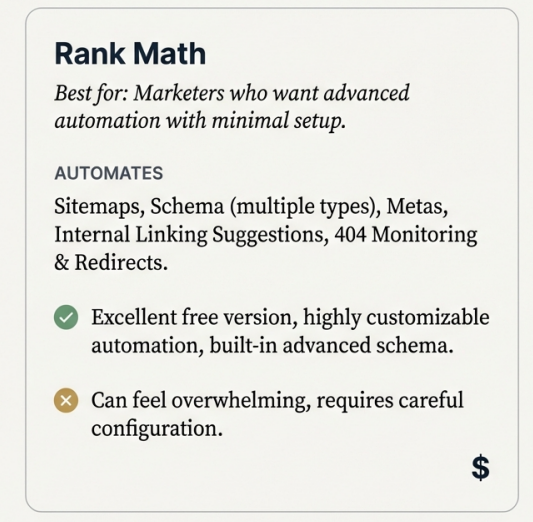
Best for: Marketers who want advanced automation with minimal setup
What it automates
- XML sitemaps
- Schema markup by content type
- Meta titles and descriptions
- Internal linking suggestions
- 404 monitoring and redirects
Key benefits
- Strong balance between automation and control
- Built-in schema eliminates the need for extra plugins
- Clean dashboard with actionable insights
Advantages
- Excellent free version
- Automation rules are easy to customize
- Supports multiple schema types out of the box
Disadvantages
- Too many features can feel overwhelming at first
- Requires careful configuration to avoid over-optimization
Pricing
- Free version available
- Pro plans start around ₹5,000–₹6,000 per year
2. Yoast SEO
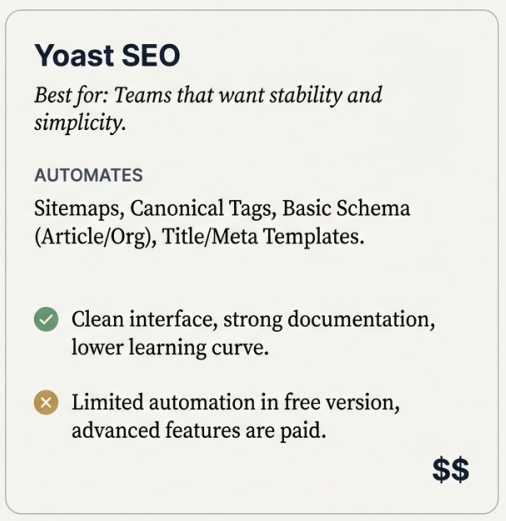
Best for: Teams that want stability and simplicity
What it automates
- XML sitemaps
- Canonical tags
- Basic schema (Article, Organization)
- Title and meta templates
Key benefits
- Reliable and beginner-friendly
- Minimal risk of technical SEO errors
- Trusted by large editorial teams
Advantages
- Clean interface
- Strong documentation
- Lower learning curve for marketers
Disadvantages
- Limited automation compared to competitors
- Advanced features locked behind paid plans
Pricing
- Free version available
- Premium starts around ₹8,000 per year
3. All in One SEO (AIOSEO)
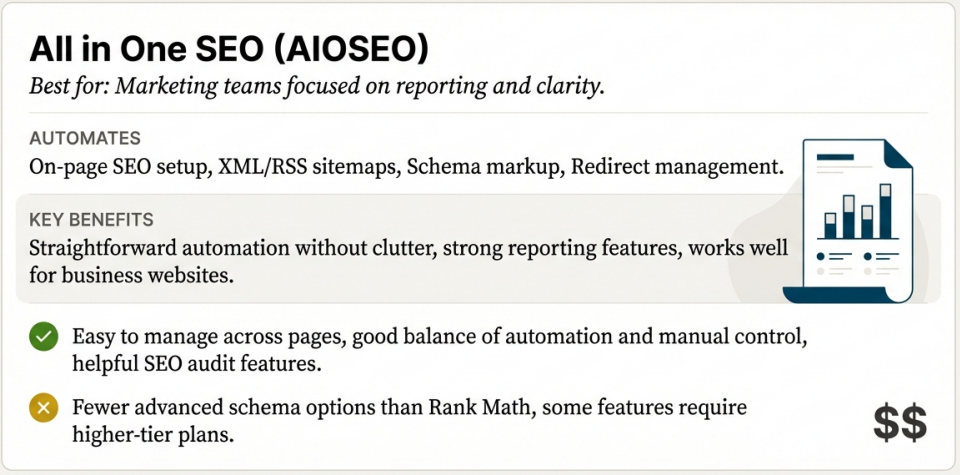
Best for: Marketing teams focused on reporting and clarity
What it automates
- On-page SEO setup
- XML and RSS sitemaps
- Schema markup
- Redirect management
Key benefits
- Straightforward automation without clutter
- Strong reporting for marketers
- Works well for business websites
Advantages
- Easy to manage across multiple pages
- Good balance between automation and manual control
- Helpful SEO audit features
Disadvantages
- Fewer advanced schema options than Rank Math
- Some features require higher-tier plans
Pricing
- Free version available
- Paid plans start around ₹7,000 per year
4. Schema Pro
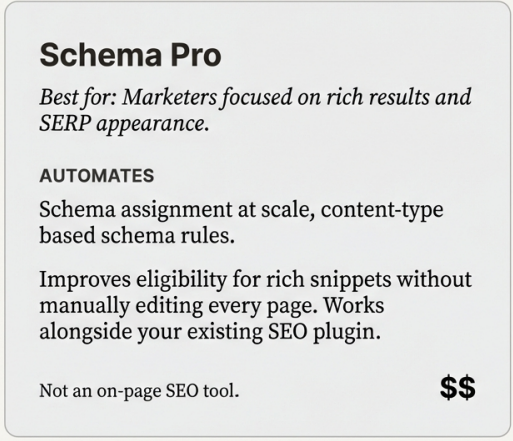
Best for: Marketers focused on rich results and SERP appearance
What it automates
- Schema assignment at scale
- Content-type based schema rules
- Automatic schema injection
Key benefits
- No need to manually add schema per page
- Improves eligibility for rich snippets
- Works alongside existing SEO plugins
Advantages
- Lightweight and fast
- Excellent for large content sites
- Highly flexible schema rules
Disadvantages
- No on-page SEO features
- Requires pairing with another SEO plugin
Pricing
- Paid plugin
- Starts around ₹6,000 per year
5. Redirection Plugin
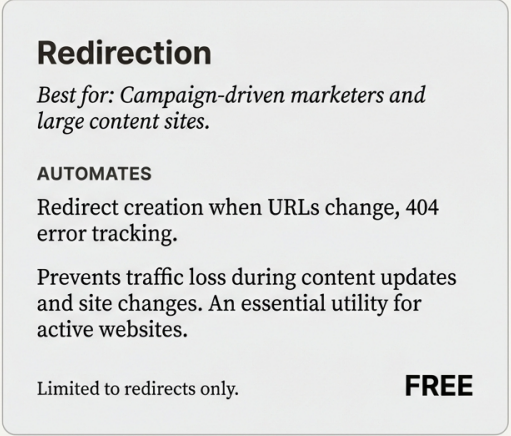
Best for: Campaign-driven marketers and large content sites
What it automates
- Redirect creation when URLs change
- 404 error tracking
- Bulk redirect management
Key benefits
- Prevents traffic loss during updates
- Keeps SEO clean during site changes
- Saves hours of manual redirect work
Advantages
- Free and reliable
- Simple interface
- Essential for ongoing content updates
Disadvantages
- Limited to redirects only
- No SEO analysis features
Pricing
- Free
6. SEOPress
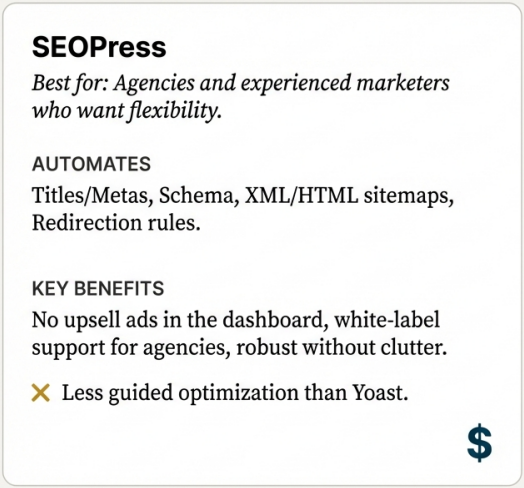
Best for: Agencies and experienced marketers who want flexibility
What it automates
- Titles and metas
- Schema markup
- XML and HTML sitemaps
- Redirection rules
Benefits
- No upsell ads inside dashboard
- White-label support for agencies
Advantages
- Robust without clutter
- Excellent developer support
Disadvantages
- Less guided optimization than Yoast
Pricing
- Free version available
- Pro from -₹5,000/year
7. Product Feed for WooCommerce (by Simprosys)
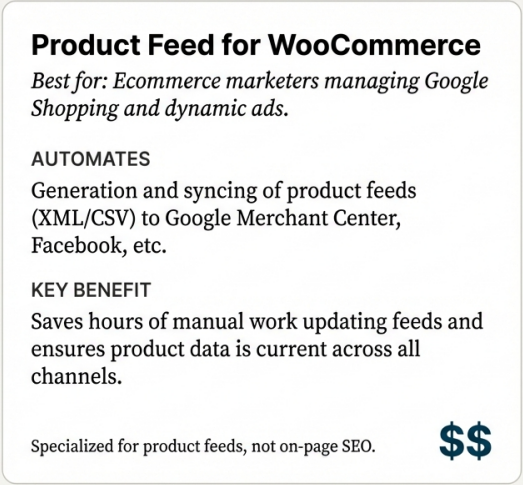
Best for:
Ecommerce marketers who need structured product feeds for Google Shopping, dynamic ads, and SERP enhancements.
What it automates
- Generates XML/CSV/json feeds for product listings
- Automatically syncs WooCommerce products to multiple channels
- Supports Google Merchant Center, Facebook, Bing, and more
Benefits
- Ensures up-to-date product data across search and ad platforms
- Saves manual work updating feeds when inventory or pricing changes
- Improves discoverability on product-based search results and rich formats
Advantages
- Works seamlessly with WooCommerce
- Supports multiple feed formats and destinations
- Reduces manual feed generation time
- Automatically updates based on product changes
Disadvantages
- Not a traditional SEO plugin, it’s specialized for product feeds
- Requires familiarity with Merchant Center and feed requirements
- SEO impact is indirect (through product visibility and structured data), not on-page optimization
Pricing
- Paid plugin
- Pricing starts around $79/year (varies based on plan and add-ons)
Conclusion
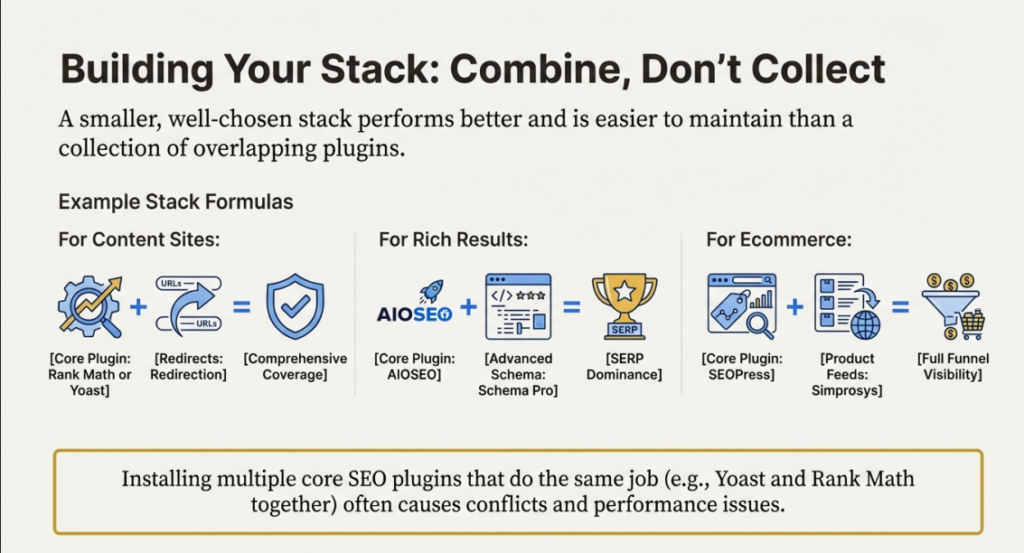
SEO plugins make WordPress easier to manage, but they don’t replace judgment, strategy, or intent. The best plugins support how marketers work. They help surface data, reduce manual effort, and keep execution consistent across content, technical SEO, and reporting.
What really matters is choosing plugins that match your role. Content-focused marketers benefit from tools that guide readability and context. Data-driven teams need clean reporting and search insights. Ecommerce marketers need plugins that support product visibility, feeds, and structured data across platforms.
Installing every popular plugin won’t improve rankings. In fact, it often slows sites down and clouds decision-making. A smaller, well-chosen stack usually performs better and is easier to maintain.
Think of SEO plugins as infrastructure. When they’re set up correctly, they quietly support better decisions, cleaner workflows, and measurable outcomes. Strategy still leads. Plugins just make it easier to execute it well.