
Introduction
If you’ve ever clicked a search result, returned to Google, and noticed a small box appear below that link with other related queries, that’s the People Also Search For section.
It appears straightforward, but the thing is this: that box contains valuable information about what your audience really wants next. Marketers pursue “People Also Ask” results, but People Also Search For (PASF) can silently reveal intent gaps to you to create better keyword clusters and pull more relevant traffic.
In this post, we’re going to deconstruct what Google’s People Also Search For section really is, how it functions, and how you can optimize your content to show up there. When you’re done reading, you’ll have learned how to convert those related search queries into an actual SEO benefit through intent-based PASF keywords that Google already relates to your subject matter.
What is the “People Also Search For” (PASF) Section?
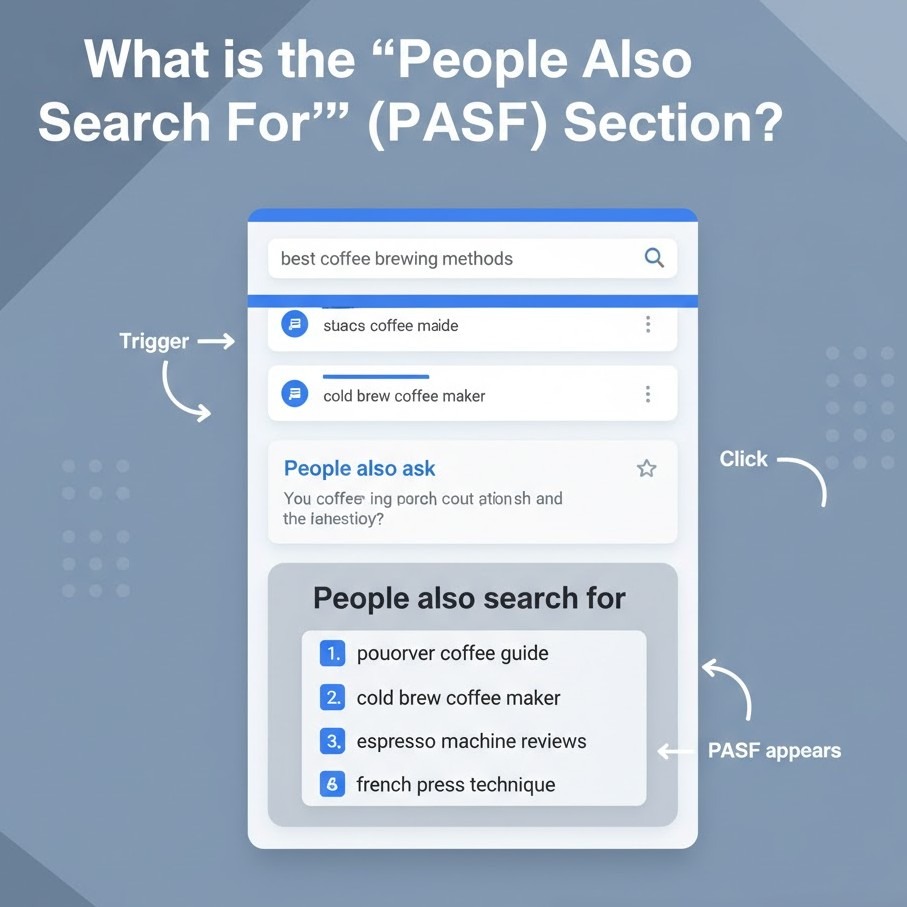
The “People Also Search For” is a Google SERP attribute that displays to the user a set of connected queries the moment they click on one and go back to the search page. It is activated when Google assumes the user didn’t discover exactly what they were looking for the first time, so they display new searches that might possibly better meet their intent.
It is Google’s take on, “Maybe you were looking for one of these instead?”
They typically pop up in a tiny box below the accessed result and point to alternative search results on the same subjects. Say someone is searching for “local SEO strategy” and immediately bounces away. Google may display:
- what is local SEO
- how to do local SEO for multiple locations
- Google My Business optimization tips
All of these are People Also Search For recommendations, and each is a PASF keyword opportunity you can leverage to grow your content and address connected intents.
As opposed to typical keyword research instruments, PASF results originate directly from Google’s behavior data; that is, they’re derived from actual user behavior, rather than keyword correlations. And that is why they are so valuable for content planning and optimization.
How is the “People Also Search For” Section different from the “People Also Ask” Section?
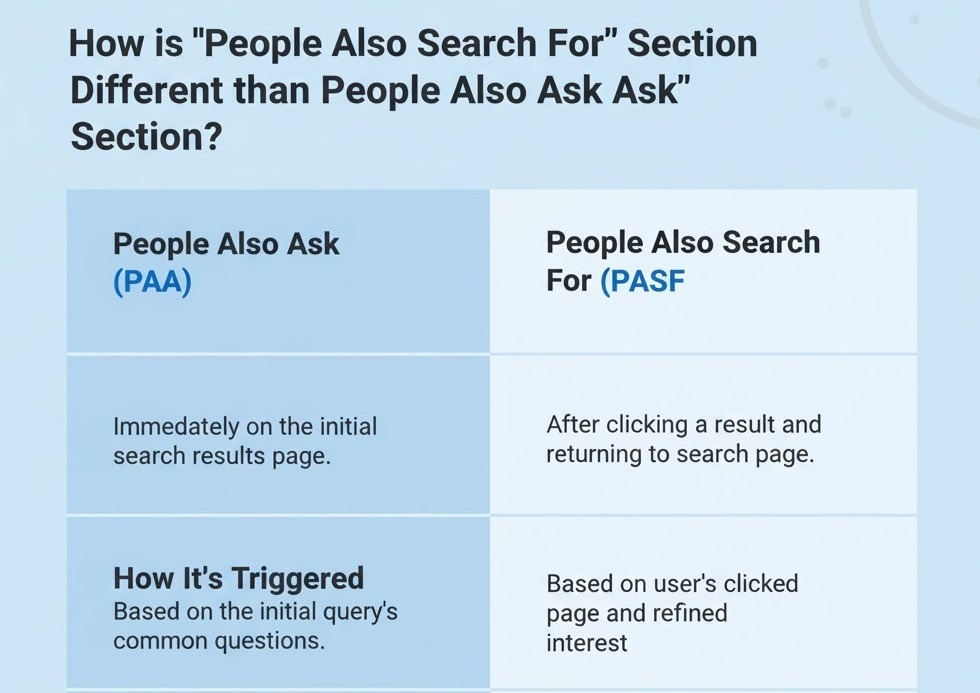
At first, People Also Search For (PASF) and People Also Ask (PAA) will look the same; they both appear with similar questions, they both exist on Google’s search engine results page, and they both satisfy user curiosity. But their role and the meaning of what they reveal about user intent are entirely different.
Let’s break it down.
| Feature | People Also Search For (PASF) | People Also Ask (PAA) |
| When It Appears | After a user clicks a result and returns to the SERP | Directly within the SERP, before a click happens |
| User Intent Type | Reflects refined intent what users search next after dissatisfaction | Reflects exploratory intent: what users want to learn about a topic |
| Data Source | Based on real behavioral patterns and bounce activity | Based on question-based searches and entity relationships |
| Content Opportunity | Helps you fill knowledge gaps and create follow-up or supporting content | Helps you capture featured snippets and answer-driven visibility |
Here’s what this really means:
PAA is concerned with questions, while PASF is concerned with next searches.
If you are optimizing content, you employ PAA to make your post more informative and worthy of featured snippets and PASF to make your website more visible along related search journeys.
That is, PAA aids you to answer what users query; PASF aids you to appear for what they will search next.
That is why SEOs that use both question-driven content for PAA and topic growth via PASF keywords tend to get better rankings and deeper session lengths.
How Does “People Also Search For” Work?
Google’s People Also Search For (PASF) feature is not random; it’s founded on real user behavior signals. When a user clicks on a result, spends a few seconds on it, and comes back to the SERP, Google counts that as a “return action.” Google assumes that the user didn’t find what they searched for and attempts to fulfill that requirement by making other extremely similar searches available.
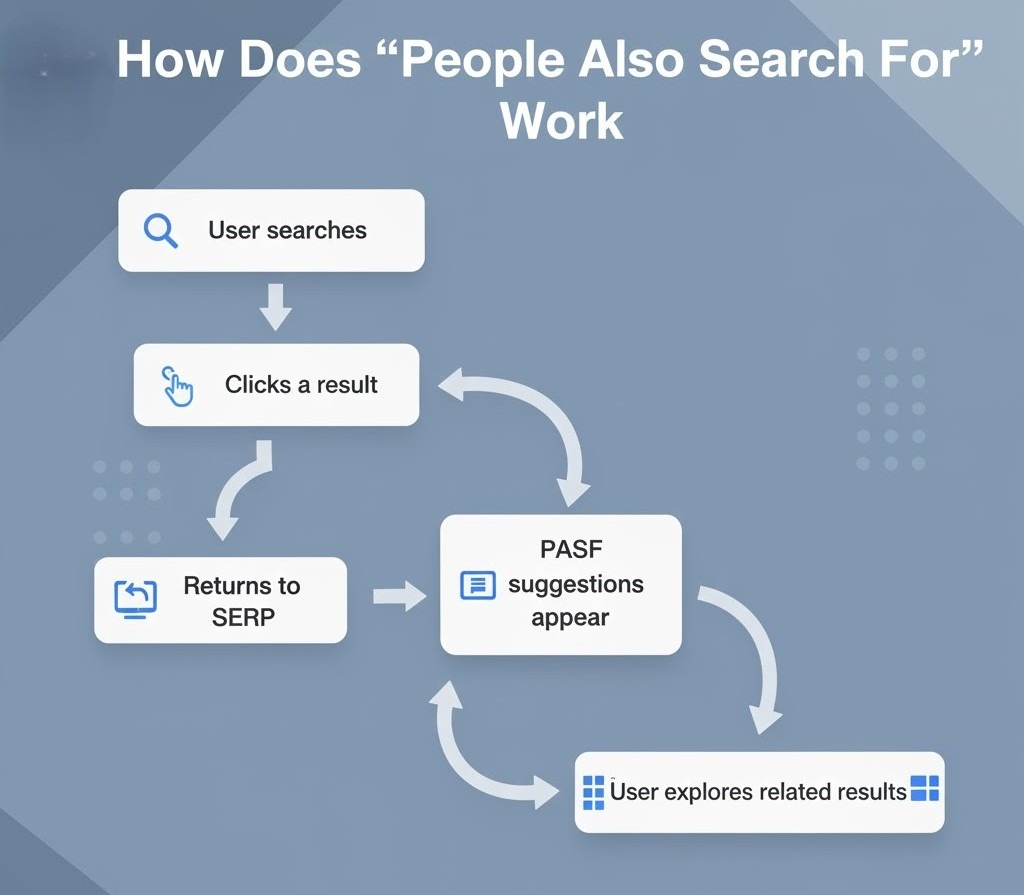
Here’s the summary of how it actually is:
1. Trigger: User Returns to Search Results
When you click on a result and then press the back button, Google reevaluates your intention. That’s when the People Also Search For box pops up just below the link you just went to.
This implies that PASF results are aware of context. They do not appear for every query but only when Google finds a potential misalignment between the query and clicked content.
2. Data Source: Behavioral Search Patterns
PASF relies on aggregate user behavior rather than fixed keyword lists.
Google monitors billions of interactions, which pages are opened next by users, which results receive more clicks, and what associated searches come after a bounce.
So, if thousands of users click on “local SEO strategy,” then go back and type in “how to optimize Google Business Profile,” Google makes the connection. The following time someone types in “local SEO strategy,” “how to optimize Google Business Profile” may appear in the PASF box.
That is, PASF keywords are behavior-based, not tool-based. That makes them two of the most precise signals of what your audience is craving next.
3. Personalization: Based on Context and Device
The PASF section is location, device, and search history-based.
For example:
- On mobile, the results of PASF tend to be fewer in number but more intent-oriented.
- Logged-in users may be shown somewhat personalized PASF searches based on their recent searches.
- Localized searches (such as “SEO agency near me”) tend to prompt region-specific PASF recommendations.
4. Dynamic Updates
Unlike PAA, PASF recommendations can shift very frequently. Because they’re derived from continuous user data, the lists reflect new trends or associated searches as they take off. This renders Google People Also Search For one of the most real-time places to see shifting search intent.
In short:
PASF is effective because Google is continuously learning from user behavior. It takes into account how individuals navigate through subjects, rather than what they first type. If your content is aligned with those subsequent intentions, you can show up for numerous related searches even if you weren’t the first choice for the original query.
How to Utilize “People Also Search For” for SEO
Here’s the thing: PASF is not a curiosity box on Google. It’s a data-driven map of what your audience really wants to learn next. If you can get that map right, you can increase topical coverage, dwell time, and earned visibility along multiple paths of search.
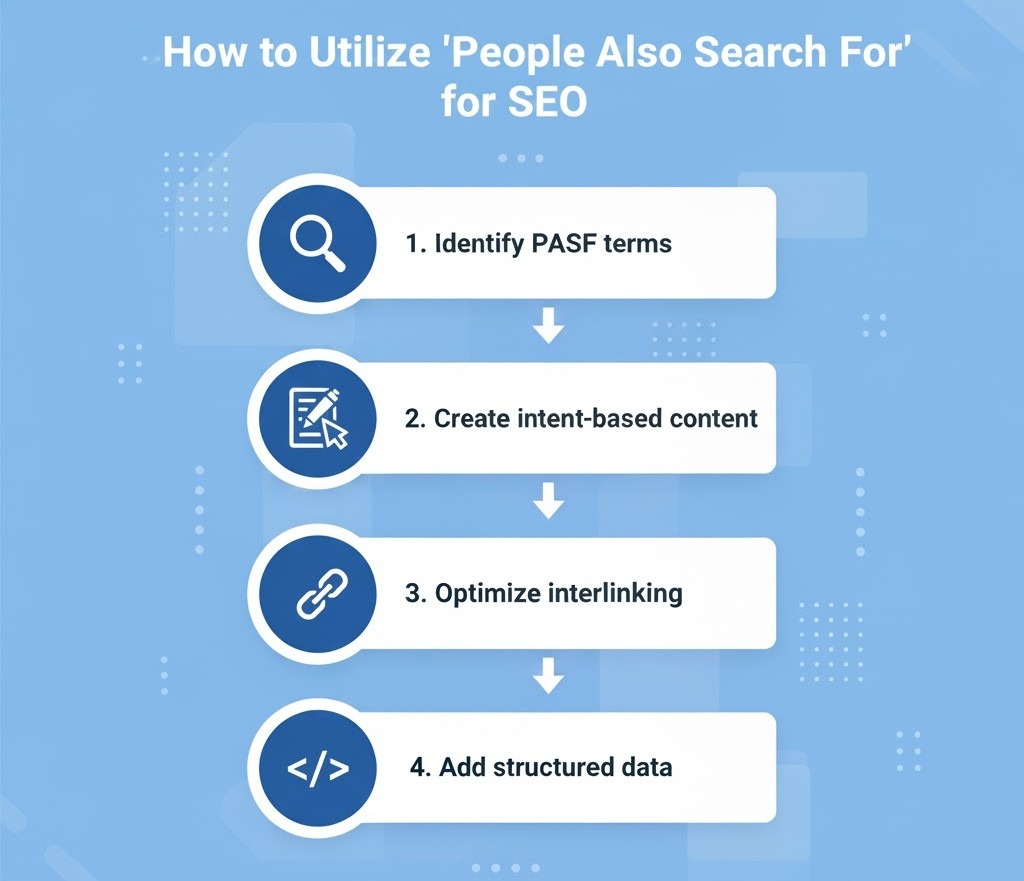
Let’s see how to actually use People Also Search For data to get stronger SEO.
1. Identify PASF Keywords Using Real SERP Data
Most keyword tools still don’t fully capture Google People Also Search For results. So the best place to start is Google itself.
Here’s a quick method:
- Search your target keyword on Google.
- Click on some top results, wait a few seconds, and hit the back button.
- You’ll have the People Also Search For box below those links; copy those suggestions.
- Do the same on related topics to create a list of PASF keywords.
You can also use tools like AlsoAsked, KeywordTool.io, or browser extensions like Keywords Everywhere, which pull PASF data directly from SERPs.
- Expert Suggestion: Never use PASF keywords alone. Bucket them under parent topics; they most often expose related user journeys rather than individual search terms.
2. Build Content Around “Next-Step Intent”
Every PASF suggestion captures what users will likely search next.
So, rather than targeting only broad keywords, make follow-up or supporting content that targets those next-step intentions.
For example:
- Main keyword: Local SEO strategy
- PASF suggestions: Google Business Profile optimization, on-page SEO checklist, local link building
Now, make internal content that bridges between these topics.
That architecture informs Google that your site covers the whole intent journey, not just one query, which helps your topical authority.
3. Use PASF to Expand Internal Linking Opportunities
Every PASF keyword is a connection between related subjects.
Add contextual internal links with anchor text matching those phrases.
This benefits:
- Enhance Google crawl paths
- Deepen user session depth
- Secure semantic relevance between connected pages
For example, if your “Technical SEO” blog contains a PASF keyword such as “on-page SEO,” hyperlink that term to your on-page SEO tutorial.
That single hyperlink connects both subjects in a manner Google already anticipates users to click through.
4. Refresh Existing Blogs Using PASF Insights
Don’t limit the use of PASF to new content alone; utilize it to refresh existing blogs.
If you go through your existing articles and realize that there are some lacking PASF-related phrases, incorporate them organically within your subheads or FAQs.
Example:
- Original blog: “Best SEO Strategies for 2026“
- PASF reveals “AI in SEO,” “Google ranking factors update,” and “content clustering for SEO.”
Add those as new subsections or FAQs. You’ll keep up with existing search behavior without rewriting the whole piece.
5. Optimize for Featured Follow-Up Searches
Google frequently returns PASF terms in subsequent searches, sometimes displaying the same domains repeatedly in related results.
When you strategically include PASF keywords:
- Your pages can rank on consecutive queries
- You gain visibility in long-tail, intentional searches
- You get users who did not click your result initially
The secret is matching your content depth to user curiosity. Match the why, not just the what, of the next search.
6. Monitor PASF Shifts Regularly
PASF suggestions are not fixed. They adapt as search behavior shifts.
- Watch which PASF queries appear for your top pages
- Can update blog subtopics
- Keep your content in sync with live user trends
That’s how cutting-edge SEOs keep search flexibility; their content never expires because they stay aligned with Google’s intent signals.
In short:
Using People Also Search For is all about looking beyond keywords and into intent chains. Every PASF term is a part of a conversation that your audience is already having with Google. You simply need to show up at every turn in that conversation.
Want your content to start appearing in Google’s People Also Search For results?
Our SEO experts can help you identify intent gaps, optimize your clusters, and turn PASF insights into real search visibility.
Talk to Our SEO Team
How to Meet Searcher’s Needs with Q&A Content
Here’s the thing: People Also Search For does not reveal keywords to you. It reveals questions that went unanswered. When a user keeps coming back to Google, they’re indicating confusion, curiosity, or frustration. That’s your signal to fill in the gap with content.
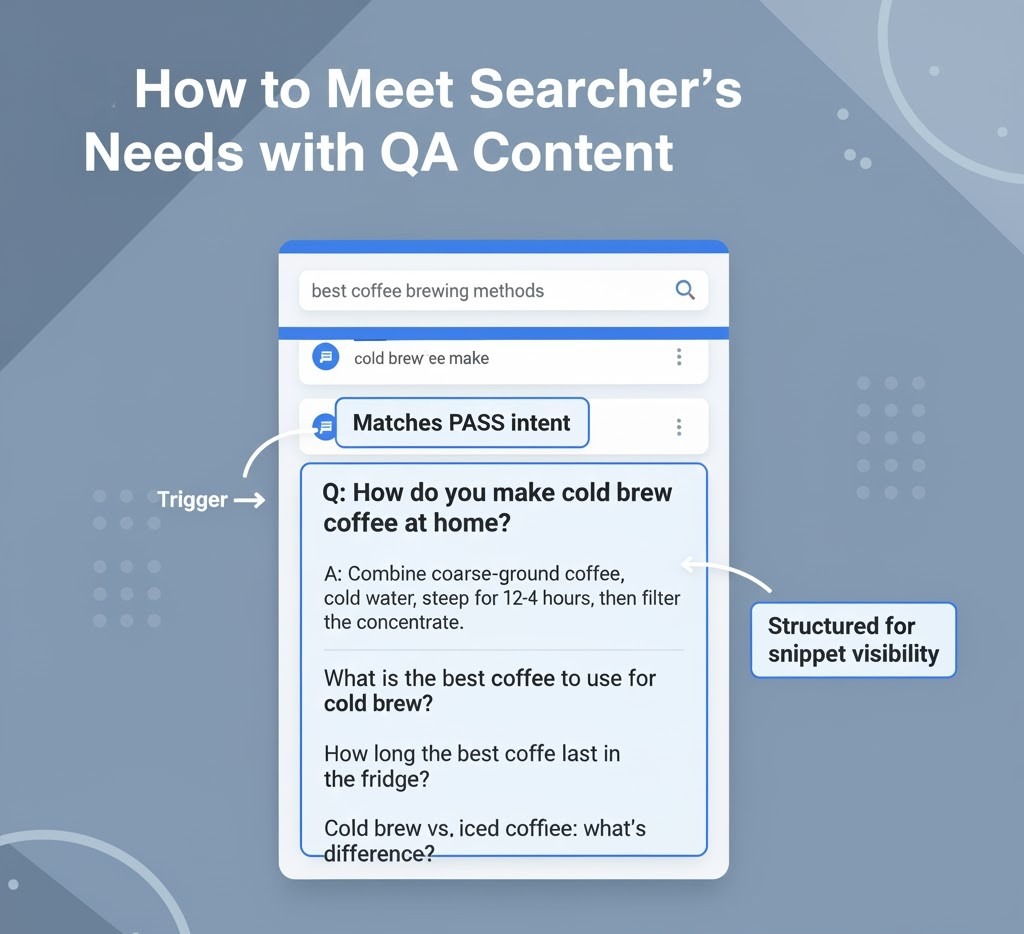
Let’s break down how to do that using Q&A content, one of the best ways to align with PASF intent.
1. Identify “Follow-up Intent” Questions
Start by listing the most common PASF queries around your topic. You’ll notice many of them are phrased like
- “How does…”
- “What’s the difference between…”
- “Why is…”
- “How to fix…”
These aren’t random; they reveal what users still want to know after clicking something else.
Example:
If your subject is Google People Also Search For, you may get follow-ups such as
- “How to rank in People Also Search For results?”
- “How is PASF different from People Also Ask?”
- “Can I optimize for PASF keywords?
These all can be turned into a Q&A block or a standalone paragraph in your content.
2. Structure Content with Clear Questions as Subheadings
Utilize PASF-led questions as H2s or H3s.
This structure:
- Indicates relevance to Google
- Enhances readability
- Matches real users’ query style
For example, H2: How to Get Your Website in People Also Search For?
Next, answer it briefly in the first 1–2 sentences like Google does in snippets. Make it brief, direct, and factual. Then insert examples or context.
3. Write “Snippet-Ready” Answers
If you want Google to pull your content in on related searches, your answers have to be short and contextually full.
Follow this rule:
- The first sentence is a direct answer
- The next few lines are a brief explanation or supporting example
Example:
“You can appear in the People Also Search For section by targeting related keywords that users search after visiting similar topics. Consistently optimizing your content for intent-driven phrases increases your visibility in Google’s behavioral results.”
That’s short, focused, and ready for snippet extraction.
4. Add Context Around the Question
Don’t stop at brief answers. Following your brief response, add substance:
- Explain why it is important
- Provide a practical example
- Link internally to richer resources
This dual approach makes your content appealing both to Google (for structured data) and readers (for interest).
5. Use PASF Questions to Build Topical Authority
Every PASF question can also serve as a subtopic in your overall SEO strategy.
If a number of PASF keywords fall under a parent topic, make each one:
- A separate blog page
- A cluster article on a parent pillar page
- A Q&A section within your current content
This strategy improves your topical authority, making your site appear for many related queries even outside PASF.
6. Optimize FAQs for PASF Synonyms
PASF searches usually arrive with slight modifications: “People Also Search For,” “PASF Google,” “People Also Search Box,” etc.
You can organically include those synonyms in your FAQ content. It enhances semantic reach without keyword stuffing.
In short:
PASF and Q&A are complementary. PASF informs you about what users did not find, and Q&A enables you to communicate it effectively. That’s how you convert skipped clicks into engaged readers and readers into ranking signals.
Why Is “People Also Search For” Important for SEO?
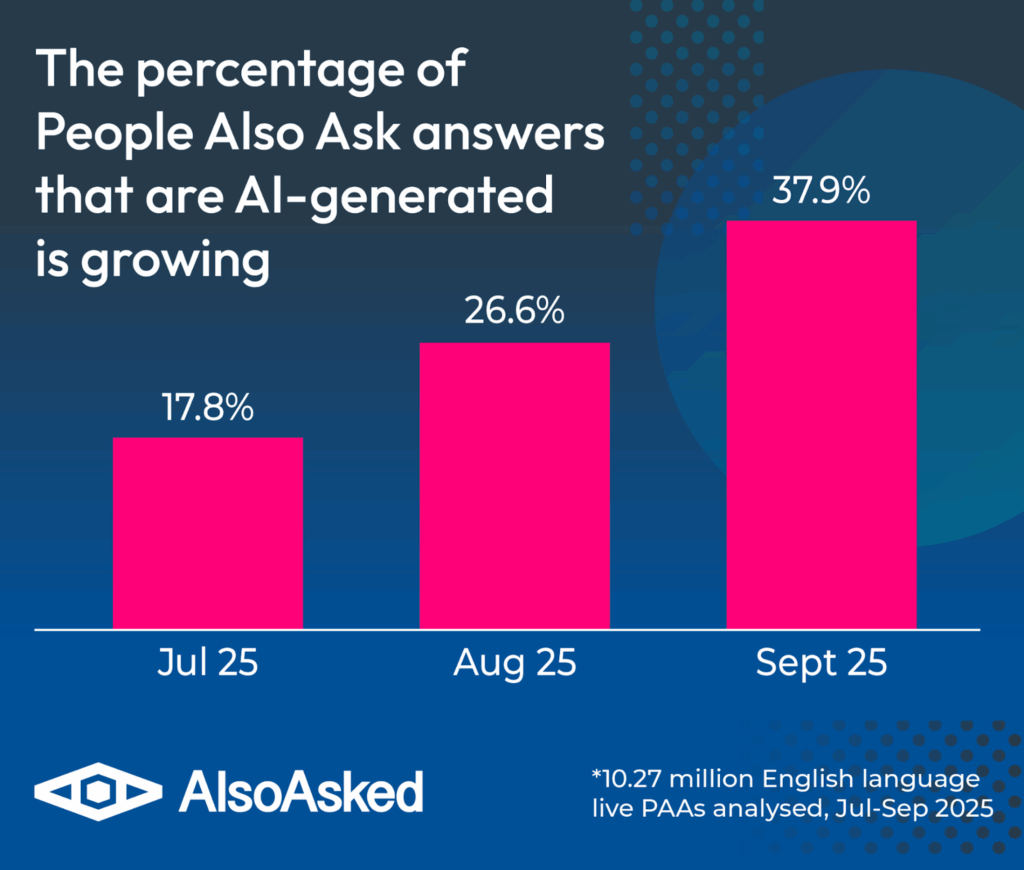
Most marketers know what they searched after leaving your page.
That’s a goldmine for anyone who wants to know user intent and tighten their SEO approach. Here’s why.
1. It Reveals Real Intent Paths
Search isn’t linear anymore. Users bounce between questions, compare alternatives, and tweak their wording.
PASF captures that very behavior.
By analyzing People Also Search For results, you have a direct insight into:
- What people search prior to and following your keyword
- How they tweak or alter their intent
- Which are the associated topics or questions that they’re investigating next
This enables you to plot the search journey and produce content that naturally fits in at each stage.
2. It Strengthens Topical Authority
Google now indexes topics, rather than pages. When your content addresses several PASF-related terms, it instructs Google that your site is an authoritative source on the topic.
For instance, if you have one blog on “technical SEO,” one on “on-page SEO,” and one on “content optimization,” all internally connected with PASF keywords, Google sees a semantic cluster.
That group of linked pages will get you ranked on all related searches, not only one keyword.
3. It Improves Click-Through and Engagement
Being listed under the People Also Search For section can provide you with a second chance at exposure.
Even if users skip your page the first time, they might see it again in a related search via PASF results.
This repetition increases:
- CTR (Click-Through Rate): since your domain keeps reappearing
- Dwell time: users engage longer when content aligns with refined intent
- Brand recall: consistent presence across related searches builds familiarity
4. It Helps Identify Content Gaps
Every PASF keyword represents a content gap, something users wanted but didn’t find.
By reviewing PASF terms on your current pages, you can identify missing subtopics, outdated content, or open questions.
Example:
If your “SEO ranking factors” post causes PASF terms such as E-E-A-T guidelines or AI and SEO, it’s an indication your article needs them to remain competitive.
5. It Supports Smarter Keyword Clustering
Old-school keyword research is about volume and difficulty.
PASF allows you to cluster keywords based on actual user paths, not speculation.
Rather than two different keywords, “optimize Google Business Profile” and “local SEO checklist,” PASF indicates that they’re part of the same user flow.
This information allows you to build topic clusters that perform incredibly well with the way humans search.
6. It Future-Proofs Your SEO Strategy
With Google moving towards intent-driven searching and AI-powered results, knowing how individuals toggle between searches is important.
PASF data keeps you ahead of that shift because it’s developed from behavior intent rather than fixed data points.
So, as algorithms change, your content is still referring to the way individuals actually search.
In short:
People Also Search For is not another SERP feature; it’s a glimpse into your user’s mental process. If you utilize it smartly, you’re not merely search engine optimizing; you’re following how actual people research issues.
What Are the Best Strategies for Optimizing Content for PASF?
People Also Search For rankings isn’t all about trickery. It’s observing how people act when they’re searching and having your content so precisely aligned with intent that Google naturally has a tendency to associate it with other connected queries.
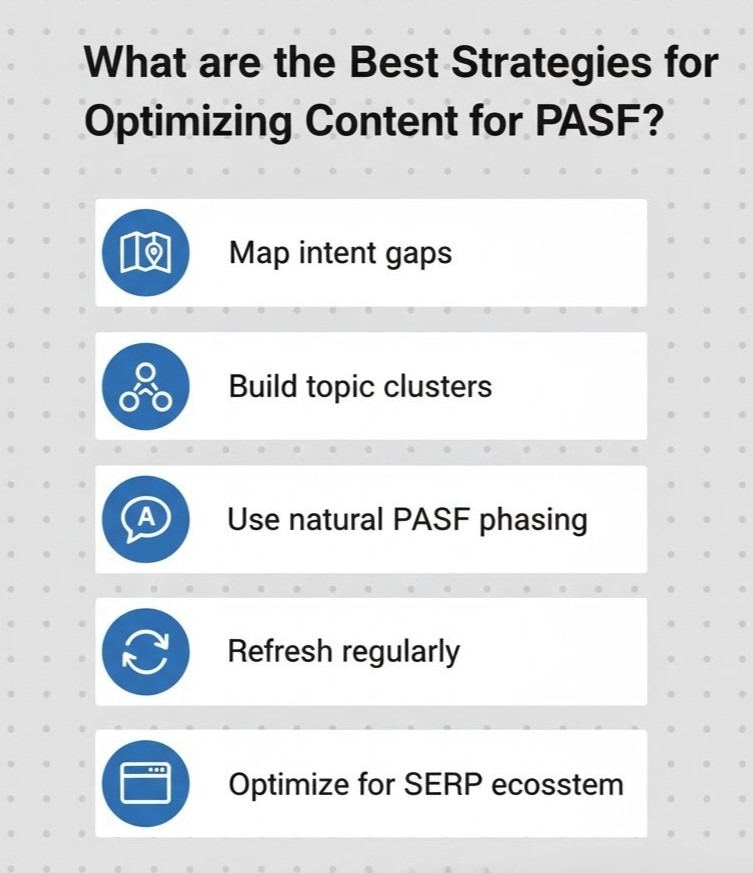
This is the step-by-step how-to.
1. Start with Intent-Based Keyword Mapping
Don’t draw anything until you map your #1 keyword and your PASF keyword network.
Google search your primary keyword, turn on the People Also Search For box, and gather those related queries.
For example:
- Primary keyword: “People Also Search For”
- PASF keywords: “Google People Also Search For,” “People Also Ask vs People Also Search For,” “how to get into People Also Search For,” and “PASF Google.”
Now, put each of those in a role:
- Informational (how/why)
- Comparison (vs)
- Navigational (brand/product-related)
- Action-oriented (how to do/implement)
This framework allows you to address each intention angle, not a single variation.
2. Create Topic Clusters Instead of Standalone Posts
PASF loves context.
If your standalone post stands on its own, Google will not connect it to similar queries. But if it’s part of a cluster, you’ll have a better chance of showing up in scores of PASF boxes.
Example:
- Pillar: “Ultimate Guide to SEO Optimization”
- Cluster 1: “On-Page SEO Checklist”
- Cluster 2: “Technical SEO Best Practices”
- Cluster 3: “Google People Also Search For Optimization”
Interlink them within with PASF keywords as anchor text (for example, “learn more about Google People Also Search For optimization”). This creates high topical relevance.
3. Use PASF Queries in Subheadings (H2/H3)
Google detects PASF terms quicker when they are visible structurally. Insert them naturally inside your subheads, not packed, but contextually placed.
Example:
- Good: How to Rank in Google’s “People Also Search For” Page
- Bad: PASF Keywords People Also Search For Google Tips
Clean, semantically correct, and readable always works.
4. Optimize for Engagement Signals
Don’t forget that PASF is activated by user engagement.
If people instantly bounce from your site, Google will likely conclude you didn’t meet their purpose. Therefore, to rank in PASF, your content has to engage.
Focus on:
- Short, clean introductions that respond to the question
- Scannable formats (bullets, brief paragraphs, tables)
- Visuals (infographics, screenshots, comparisons)
- Obvious next-step links (“Also Read,” “Learn More”)
The objective: lowered bounce rate + longer dwell time = higher PASF eligibility.
5. Include PASF Keywords in Meta Elements
Subtly add your PASF terms to:
- Title tag: e.g., “How to Get into Google’s People Also Search For (PASF) Section”
- Meta description: add secondary terms organically (“Learn how to use PASF keywords to increase rankings and attract new audiences”).
- Image alt text: e.g., “PASF keyword flow example”
This establishes keyword relevance throughout your page.
6. Build “Next Query” Internal Links
PASF optimization calls for thinking about what users might search for after they read your content.
Insert one or two links at the bottom of each blog section that point to probable next searches.
Example:
That link placement simulates what Google’s users would do, keeping your site’s continuity of search journeys.
7. Regularly Audit PASF Data
Periodically, Google refreshes PASF suggestions.
Review your target searches regularly to:
- Monitor new related searches
- Refresh stale blog subsections
- Insert new internal links or FAQs
- Keep your PASF optimization current
Staying current with recent user behavior is what keeps your content fresh months after publishing.
In summary:
People Also Search For Optimization isn’t keyword insertion, but aligning content with user activity.
Once you comprehend how users search, think, and narrow their searches, your content organically deserves a spot in Google’s People Also Search For section.
Tools for Finding “People Also Search For” Keywords
Manual Google checking of People Also Search For results, it is possible but time-consuming. When you have several clients or sets of content to process, you need to better find and sort out PASF keywords in bulk.
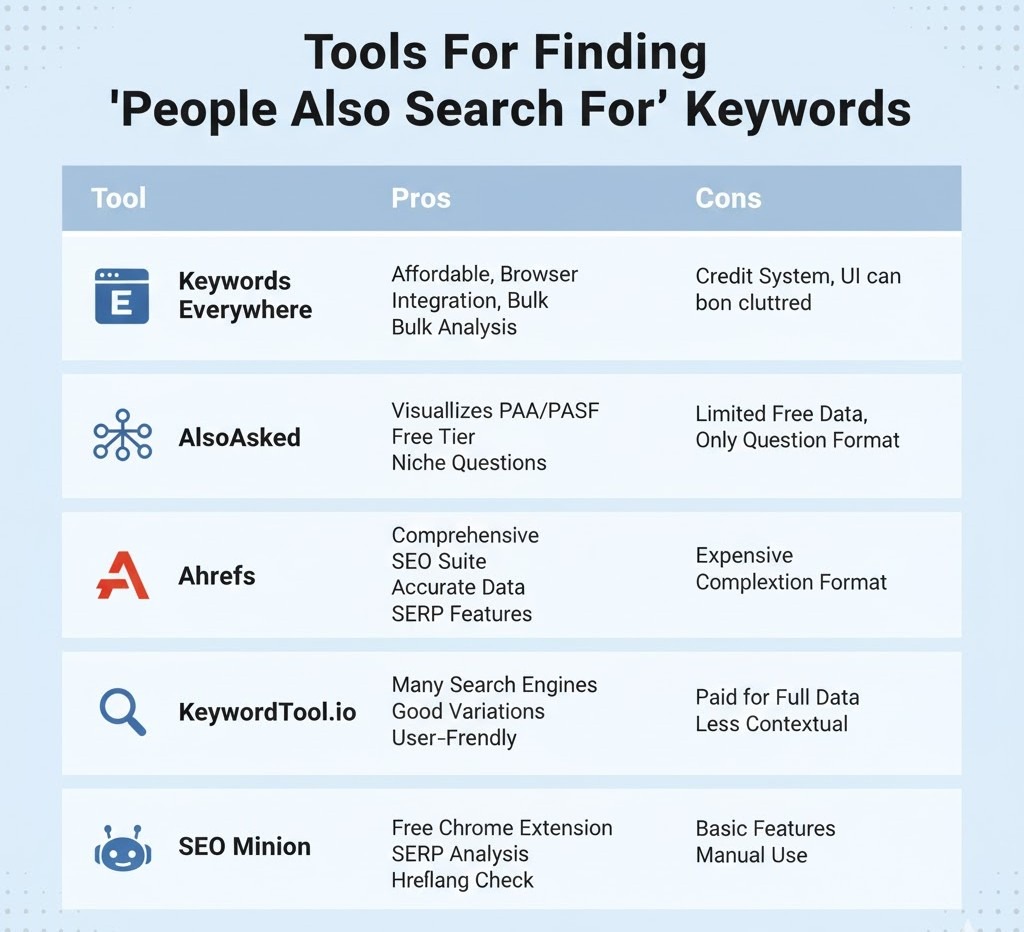
Here are some of the best tools (and simple tips) to allow you to do so.
1. Keywords Everywhere (Browser Extension)
This Firefox/Chrome plugin is an SEO favorite, and for a good reason.
When you Google search, it will automatically present to you related keywords, People Also Ask, and People Also Search For information on the SERP.
How to use it:
- Google search your target keyword.
- Scroll down the result, and the “People Also Search For” keywords will be listed in the sidebar.
- Export them directly to a CSV to analyze.
Best for: Quick, on-page PASF insight and trend discovery.
2. AlsoAsked.com
AlsoAsked shows equivalent search queries, drawing on both People Also Ask and People Also Search For information.
It’s very helpful to create content clusters and FAQ hierarchies based on actual user behavior.
How to use it:
- Type your key phrase (e.g., PASF Google).
- The tool creates a graphical map of how individuals broaden their searches.
- Take each node as a possible subhead or FAQ.
Best for: Tracing search journeys and content planning.
3. KeywordTool.io
Despite being known to produce long-tail keywords, KeywordTool.io also provides PASF-type keywords based on Google Autocomplete and related search information.
How to use it:
- Select the “Google” tab within the tool.
- Type in your seed keyword (i.e., the People Also Search For section).
- Remove duplicates and by intent (how, what, vs., near, etc.).
Best for: Mass exportation of keywords and PASF clumping.
4. Ahrefs & SEMrush
These are not PASF tools, but both have SERP feature tracking and related query reporting.
PASF triggers can be gained from observing SERP movement trends and click-return patterns.
How to use it:
- Examine the “Also Rank For” or “Related Keywords” areas.
- Compare with what we observe in Google’s real PASF boxes.
- Merge both data sources for legitimacy.
Best for: Professionals monitoring keyword intent shifts over time.
5. Free Manual + Sheet Workflow
If you want a free setup, follow these steps:
- Google search your keyword.
- Click 2–3 results and come back to the SERP to activate the PASF box.
- Paste the suggestions.
- Copy and paste into Google Sheets.
- Use columns to group by query type (informational, comparison, how-to).
Eventually, you’ll develop your own PASF keyword database specific to your niche, which is far more reliable than generic keyword tools.
6. SEO Minion
This browser extension makes it easy to analyze SERP components such as PASF boxes, PAA questions, and metadata all at once. It’s perfect for a quick audit or competitive comparison.
Best for: On-page research and PASF opportunity identification.
In short:
There is not any single “PASF tool.” Your best approach is manual inspection combined with tool-aided insights.
Why? People Also Search For results tend to shift very frequently, and only Google’s live data shows the actual picture.
In order to do serious SEO work, utilize these tools as secondary assistants, not replacements for human judgments.
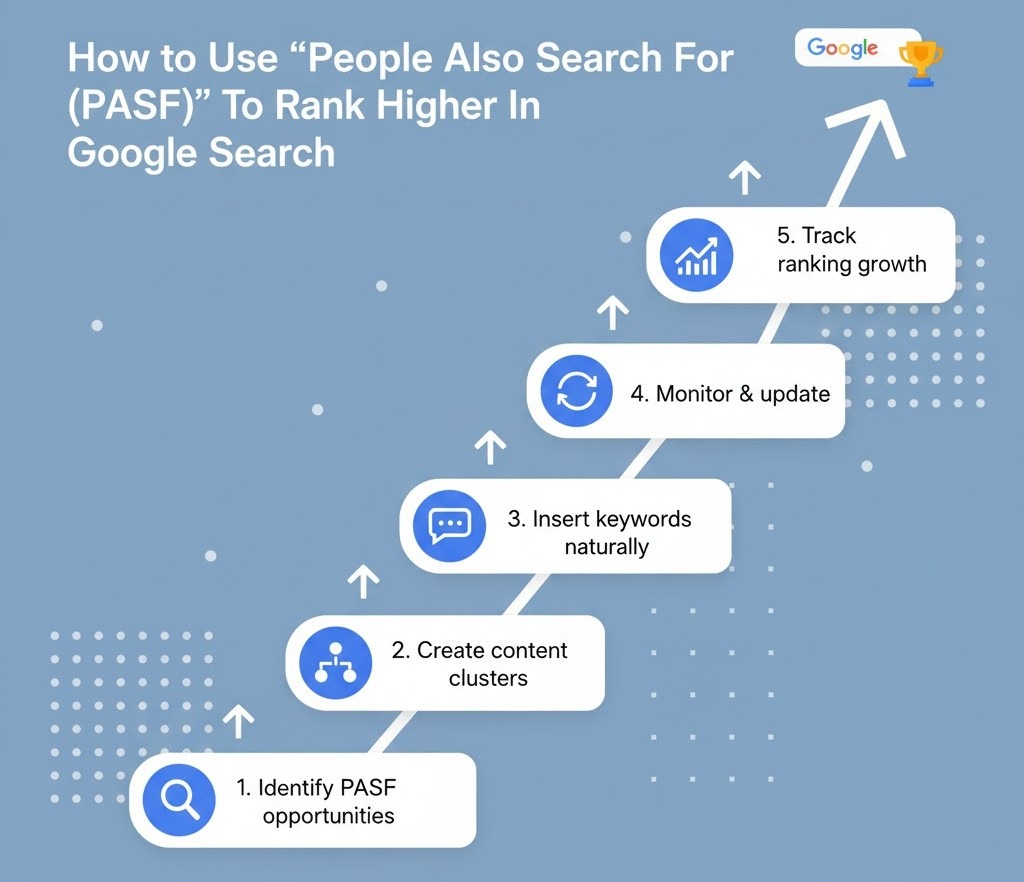
How To Use “People Also Search For (PASF)” To Rank Higher In Google Search
Getting into the People Also Search For (PASF) box is not a matter of deceiving Google. It is a matter of demonstrating your content is worthy of being displayed again if users bounce back to the SERP.
Here’s the thing: Google triggers PASF results when someone clicks on a listing, returns to the results page, and looks for something similar or more relevant. So, if your content answers those “next step” searches better than others, you’ll start appearing in that space.
Let’s break it down into actionable steps.
1. Identify Intent Gaps in Your Current Content
Start by mapping out what users might search after reading your content.
For example:
If your content is within Local SEO Basics, then users may proceed to find Local SEO tools or the Local citations checklist.
Strategies:
- Looking into PASF keywords for the pieces of content you are creating at the moment.
- Utilize keyword research tools such as Keywords Everywhere or AlsoAsked.com and see what people browse next.
- Looking into your Search Console traffic for low-CTR high-impression search terms, these are usually PASF opportunities.
As soon as you detect intent gaps, revise your content to fill them.
2. Create Multi-Intent Content Clusters
PASF is extremely topic-focused.
Rather than writing a single general blog, produce a brief series of articles that cover every facet of the search process.
For example:
- Main blog: How to Get into Google’s People Also Search For Section
- Supporting blogs:
- People Also Search For vs People Also Ask
- Why PASF Matters for SEO
- Best Tools for PASF Keyword Research
Then, strategically link them with anchor links that match PASF phrases (e.g., see how PASF differs from PAA).
This helps Google tag your content ecosystem and increase your exposure in a number of PASF boxes.
3. Match the “Return to SERP” Searcher Mindset
PASF displays when users click and return. Thus, your content must:
- Engage early: answer their underlying question promptly.
- Guide on further: have links, images, or calls-to-action that lead to the “next” issue.
- Remain extremely relevant: don’t be irrelevant to add keywords.
Google tracks what is done by users after a click. If your entry answered their question, they won’t bounce back, and if they do, your entry can show in the PASF of what they next search.
4. Use PASF Keywords Naturally in Your Content
Put PASF sentences naturally within your writing stream, not as additions.
Optimal locations are:
- Subheadings (H2s/H3s): to make it easier for Google to decide semantic relevance.
- Introduction and conclusion: to exert topical context.
- Alt text of images: if you are adding comparison charts or examples.
- Internal link anchor texts: this exerts inter-page relations.
- Just maintain density balance. 2–3 well-placed PASF sentences for each 1000 words is sufficient.
5. Refresh and Recheck Regularly
The PASF box is dynamic; it is refreshed according to trending behavior and search.
Set a reminder every few months to:
- Review your PASF suggestions for your blog once more.
- Update examples, stats, or FAQs accordingly.
- Insert new PASF-derived links wherever relevant.
Do this as regular SEO maintenance, not as a one-off.
6. Optimize for the Broader SERP Ecosystem
Lastly, keep in mind that PASF visibility can benefit from your overall SERP presence.
So optimize your content for:
- High CTR title and meta descriptions
- Structured data (FAQ, HowTo, etc.)
- Core Web Vitals and mobile performance
- Well-formed internal linking signals
When your pages are positioned in the top 10 and share PASF intent, you’ll likely show up in those respective boxes organically.
In short:
Keyword stuffing isn’t about PASF ranking but rather conforming to user behavior.
When your content provides answers for what users will next search for, Google provides you with visibility in both PASF and regular SERPs.
Conclusion
Appearing in Google’s People Also Search For section isn’t magic; it’s knowing what someone’s going to need next and sharing it with them in plain terms. Because you’re going to gap map, create multi-way content clusters, and target semantic relevance; you’re not just hoping for a SERP feature; you’re creating content that actually helps your audience.
Key takeaways:
- PASF relies on true user activity, and thus your content should respond to questions and offer information for next steps.
- High-quality, succinct, and semantically dense content offers you a higher chance to rank in both PASF and natural results.
- Regular new content and tracking of PASF keywords aid long-term visibility.
What it actually means is that your content and proper SEO can turn into a destination point for users and not another link. And the very moment Google identifies your content fulfilling searcher intent again and again and again, it rewards you by providing you with more visibility and more chances to drive organic traffic.