What is Google Business Profile Optimization?
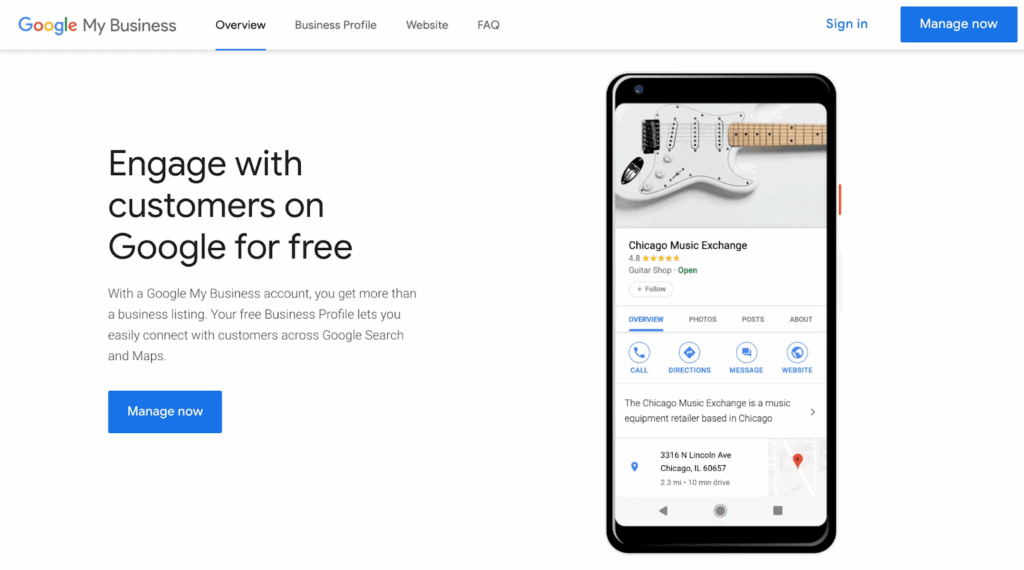
Google Business Profile (GBP) optimization is the process of increasing your local business listing on Google to improve visibility on local search results and Google Maps. In 2025, it’s no longer optional—it’s a major pillar of local SEO strategy.
If your business does not appear on the Google 3-Pack or Map, then you are missing the real-world customers, website traffic, and calls. This fixed guide is how to adapt your GBP step-by-step, including setups, media, reviews, services, and postings, including better visibility, trust, and conversion.
Google Business Profile Fundamentals in 2025
Why Optimize Google Business Profile?
In 2025, GBP is no longer just a listing—it’s your first impression on Google. Whether a user searches for “salon near me” or “top dentist in Mumbai,” Google often shows a local pack or map results before traditional websites. If your profile isn’t optimized, you’re invisible.
Does GBP matter?
- Appears in the Google 3-Pack for local results
- Increases click-through rate, calls, direction requests, and website visits
- Enhances brand trust with real reviews and recent photos
- Supports your local SEO strategy by signaling relevance and authority
Major GBP Updates in 2025 You Must Know
Google has introduced AI-driven features and structural changes that impact how your business appears in local results:
- AI Overviews in Search
Google AI summarizes your GBP into snapshot answers. Info like reviews, hours, and services must be accurate to rank. - Mobile-First Layout & CTAs
Over 70% of local intent searches are mobile. Google highlights fast-loading profiles with strong mobile CTAs (like tap-to-call and get directions). - Enhanced Messaging Features
Messaging now influences GBP rankings. Use auto-replies and answer within 24 hours. - Entity SEO Integration
GBP is now an “entity signal” connected to your schema markup, citations, reviews, and brand mentions—boosting trust and ranking.
How to Verify and Set Up a Google Business Profile:
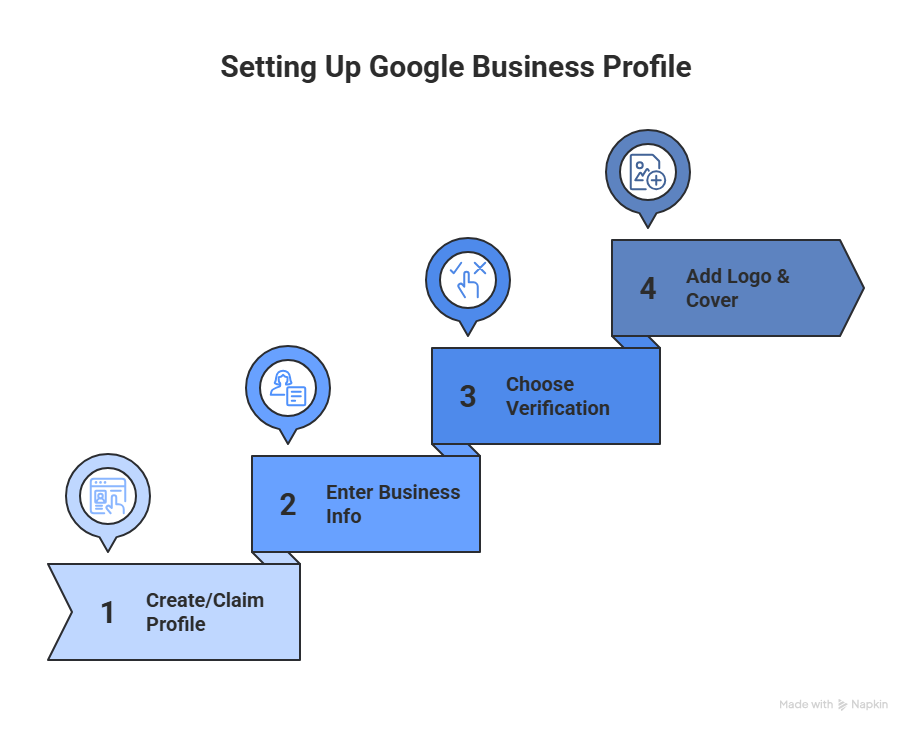
Step 1: Create or Claim Your Business Profile
Go to Google Business Profile Manager and sign in using your business Gmail.
- Search your business name to see if it already exists
- If yes, claim it
- If not, click “Add your business to Google.”
Step 2: Enter Core Business Information
Fill in key details accurately:
- Business Name (no keywords or promotional terms)
- Business Category (choose the primary and up to 9 secondary categories)
- Address (or service areas if you’re a service-based business)
- Phone Number
- Website
- Business Hours
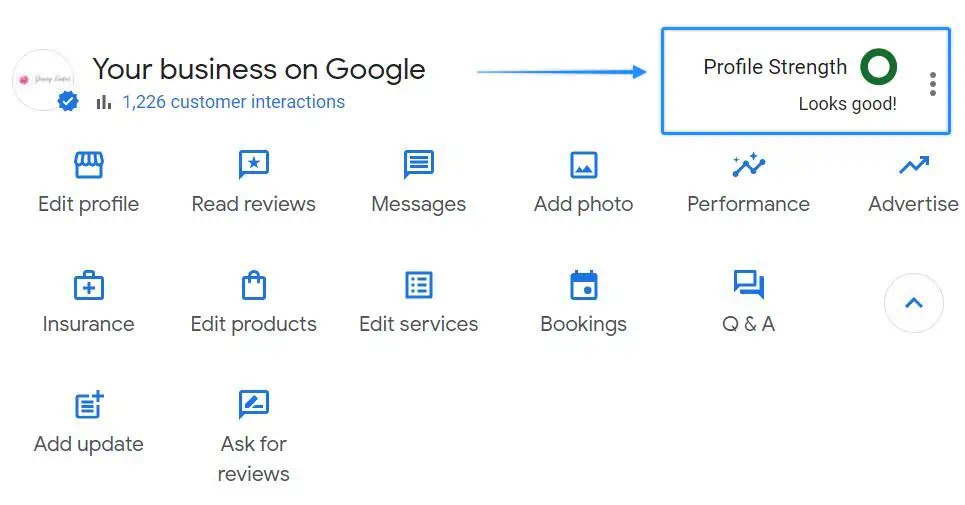
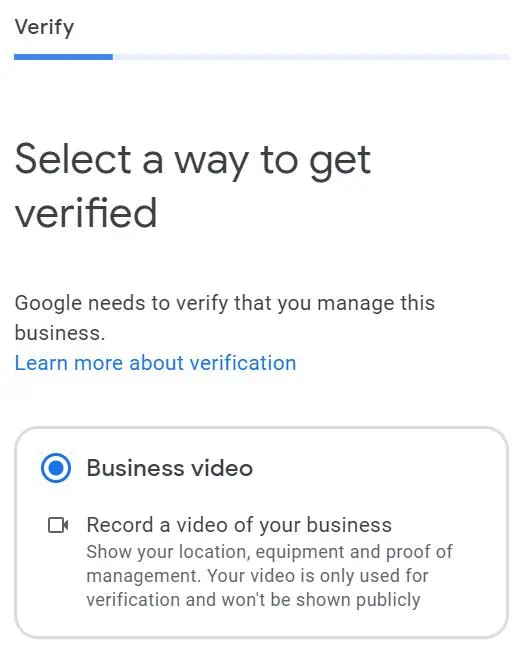
Step 3: Choose Verification Method
Depending on your business type and location, Google offers different methods:
| Verification Method | When Available | Notes |
| Phone | For most businesses | Instant, code via call or SMS |
| Limited availability | Code sent to business email | |
| Video Call | Service-area or high-risk businesses | Google rep may request to show storefront, tools, or vehicle |
| Postcard | Common fallback | Arrives in 5–12 days with a unique code |
Step 4: Add Business Logo, Cover Image, and Primary Category
- Upload your business logo and high-quality cover photo
- Primary Category: This defines the core of what your business does. Be specific.
Case Study: One of our clients was Aalayam Rehab Care; we added the correct primary category for them, which is “Best Medical Care Service.” - Secondary Categories: These help expand your visibility for related searches.
For example, For Aalayam Rehab Care, we added “Nursing Agency” or “Non-Surgical Service” as secondary categories to cover all services provided.
→ You can choose up to 9 additional categories—make sure they are relevant and reflect all service areas.
Pro Tip: Primary category is the most impressive ranking factor—buy wisely based on your target keyword.
Not sure where to start with your GBP setup?
Optimizing Business Information and Attributes
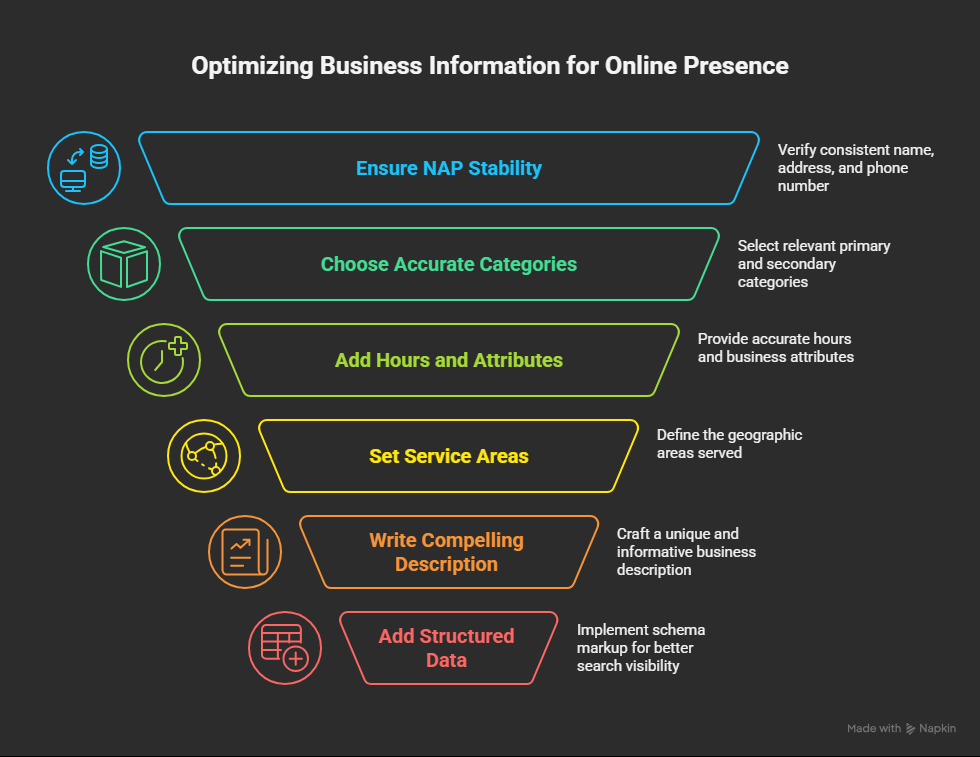
1. Ensure NAP stability on the web
- Your name, address, and phone number (NAP) should match GBP, your website, directory, and social media.
- Avoid keyword stuffing
- Watch for duplicates or outdated listings.
2. Choose Accurate Categories
- Primary Category = the core service you offer (e.g., “Digital Marketing Service”)
- Secondary Categories = additional offerings (e.g., “SEO Service,” “PPC”)
Pro Tip: Don’t overdo secondary categories—only add what’s relevant.
3. Add Hours, Holiday Hours & Attributes
- Keep hours accurate—Google highlights “Open Now” in search.
- Add holiday hours to avoid bad UX or reviews.
- Set business attributes (e.g., “Wheelchair Accessible”).

4. Set Service Areas (For Service-Based Businesses Only)
- Hide your address if you do not serve customers in your physical place.
- List the cities/regions you serve (maximum 20).
- Stay within the radius of 2 hours.
Overstated areas may suppress your local business listing in Google Maps.
5. Write a Compelling “From the Business” Description
Use this to explain who you serve, what makes you unique, and your core services.
Checklist:
- Max 750 characters (only 250 show upfront)
- Add 2–3 keywords naturally
- No promo language (like discounts)
Example:
| Existing Description | Updated Description |
| “Digicobweb is a fascinating journey of a Digital Marketing Consultant transforming himself into an entity! The brand, as it says, “Digicobweb,” is home to Digital Marketing Aspirants. Our company’s goal is clear: to grow businesses with our excellent knowledge and 15 years of experience. Our Digital Marketing Services will always plan your Brand Strategy following ethical practices with complete transparency.” | Digicobweb offers ethical digital marketing solutions for small and medium businesses, specializing in SEO, content marketing, and social media optimization. We focus on continuous learning and ethical practices to ensure sustainable results and long-term success for our clients. We are committed to guiding businesses through the complexities of digital marketing while providing transparency with expertise. |
“DigiCobweb helps small businesses and franchises increase Google Maps ranking with customized Local SEO and GBP strategies.”
6. Add Structured Data to Match Your GBP
- Use LocalBusiness schema on your homepage and contact page
- Ensure NAP, categories, and business name match your GBP exactly
- Use Google’s Structured Data Markup Helper or a plugin
[Also Read: LocalBusiness Schema]
Photo and Video Optimization Strategies
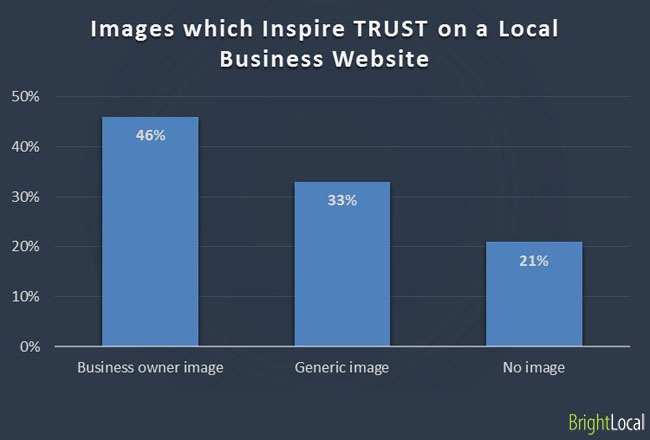
The Google Business Profile optimization goes beyond the NAP, and keyword-thescape material is a local SEO driver in 2025. The high-quality, relevant media builds trust, enhances engagement, and directly affects your visibility in Google 3-Pack and Maps.
Photo Types That Build Trust and Relevance
Uploading varied image types improves GBP performance and builds customer trust.
Photo Types to Upload:
- Exterior & interior views
- Team photos
- Product/service images
- Cover photo (most visible)
Choose a high-quality cover photo—this is often the first image users see.
How Videos Improve Google Profile Engagement
Short videos (30–60 s) can make your local listing more engaging and increase local CTR:
- Increases time-on-profile
- Encourages calls, directions, and bookings
- Showcases your services, team, or client stories
Video Content Ideas:
- Office walkthrough or team intro
- Client testimonial clips
- Campaign setup or case study
- Time-lapse of service delivery
- Seasonal offer or rearview clip
Use light tools like Capcut, Lumen5, or Invideo to make mobile-friendly videos.
Best Practices for Media Optimization
- Upload monthly to signal activity to Google
- Prioritize high-quality team or service images early
- Avoid stock photos—Google downranks generic visuals
- Add seasonal pictures to holidays, promotions or campaigns
- Reorder photos to feature your most relevant media upfront
Google Business Profile—Publishing Calendar
To stay competitive, you should regularly optimize your Google Business Profile on a regular basis. Google considers frequent updates as a strong indicator of business validity, activity, and local relevance. GBP posts appear directly in Google Search and Maps results, making them a powerful tool for driving engagement and conversions.
Types of GBP Posts You Should Be Using
There are four main types of GBP posts—each designed to engage customers at different stages of the local buyer journey:
| Post Type | Purpose | Example |
| What’s New | Announce updates, business news, or services | Now offering AI-driven Local SEO audits |
| Offers | Promote time-sensitive deals or discounts | Get 20% off our Local SEO Package this month |
| Events | Share webinars, workshops, or in-store events | Join our Local SEO Masterclass—June 25 |
| Product Highlights | Feature services or solutions | Our GBP Optimization Package is now live! |
Pro Tip: Use geo-specific phrasing.
Example: “Need better Google Maps visibility in Ahmedabad? Here’s how we can help.”
Q&A and Messaging Management: Turn Queries Into Conversions
The Q&A and messaging features are often ignored during Google Business Profile optimization, but in 2025, they are important levers to create conversion, trust, and improved visibility.
Enable & Moderate the Q&A Section
Anyone can ask—and answer—questions on your GBP profile. If left unmanaged, it opens the door to inaccurate or misleading information.
Steps to manage Q&A:
- Open your Google Business Profile dashboard
- Navigate to Questions & Answers
- Monitor new questions weekly
- Answer as the business owner account (so it shows “Owner”)
- Upvote accurate answers—including your own
Pro Tip: Your answers carry more weight when labeled as “Owner response.” It builds credibility and helps Google AI attribute the right authority.
Use Keywords Naturally in Q&A Answers
Optimized Q&A responses help with:
- Voice search queries
- Featured snippets
- Local AI search results
Tips for keyword-friendly answers:
- Mention your business name, core service, and location
- Keep answers helpful and concise (no keyword stuffing)
- Use bullets or short sentences for easier voice parsing
Multi-Location Management Strategies
Google Business Profile Analytics (GBPS) for 5 or 500 locations is not only about recurrence—it is about scalable structure, automation, and stability. For franchises, chains, and agencies, an effective multi-launch GBP strategy enhances local ranking, while brand-wide SEO in areas strengthens performance.
Create Location Groups in GBP Manager
Location Groups let you manage multiple business listings under a single dashboard—essential for franchises, regional brands, or agencies.
Read More: How to Create and Manage Location Groups
Key Benefits:
- Centralized dashboard for all listings
- Bulk editing across locations
- Streamlined user role management
Bulk Upload & Verification Process
If you manage 10+ business locations, use Google’s bulk upload feature to save time.
Steps to Use Bulk Upload:
- Download Google’s official bulk upload template
- Add accurate NAP details, business categories, hours, and custom labels
- Upload your spreadsheet to GBP
- Request bulk business profile verification
- Track verification status from the dashboard
Why Multi-Location GBP Optimization Matters
Optimizing GBP listings for each store or branch helps you:
- Rank for geo-specific or “near me” keywords
- Improve discovery in Google Maps and Local Pack results
- Strengthen brand-wide SEO with structured consistency
Case Study: Nini’s Kitchen
We optimized Nini’s Kitchen’s GBP for all five locations across Ahmedabad.
What we did:
- Updated NAP consistency, images, services, and category information
- Uploaded location-specific interior/exterior photos
- Posted weekly offers and preloaded FAQs
- Tracked performance using UTM-tagged website URLs
- Enabled messaging and active review responses
Results within 2 months:
- 12.9% increase in GBP interactions
- 8.5% rise in calls
- 7% boost in direction requests
- 5.6% uplift in Google Maps views
Why this works:
- Directly illustrates scalable GBP improvements
- Supports sections on multi-location consistency and user actions
- Provides tangible statistics that reinforce your blog’s claims
What Are the Benefits of Google My Business?
An optimized Google Business Profile (GBP)—formerly Google My Business—is no longer optional for local success. It’s your most powerful local SEO asset for connecting with high-intent customers in real time.
Whether you’re a local shop, multi-location brand, or growing franchise, GBP enhances your visibility, credibility, and customer engagement—all within search results.
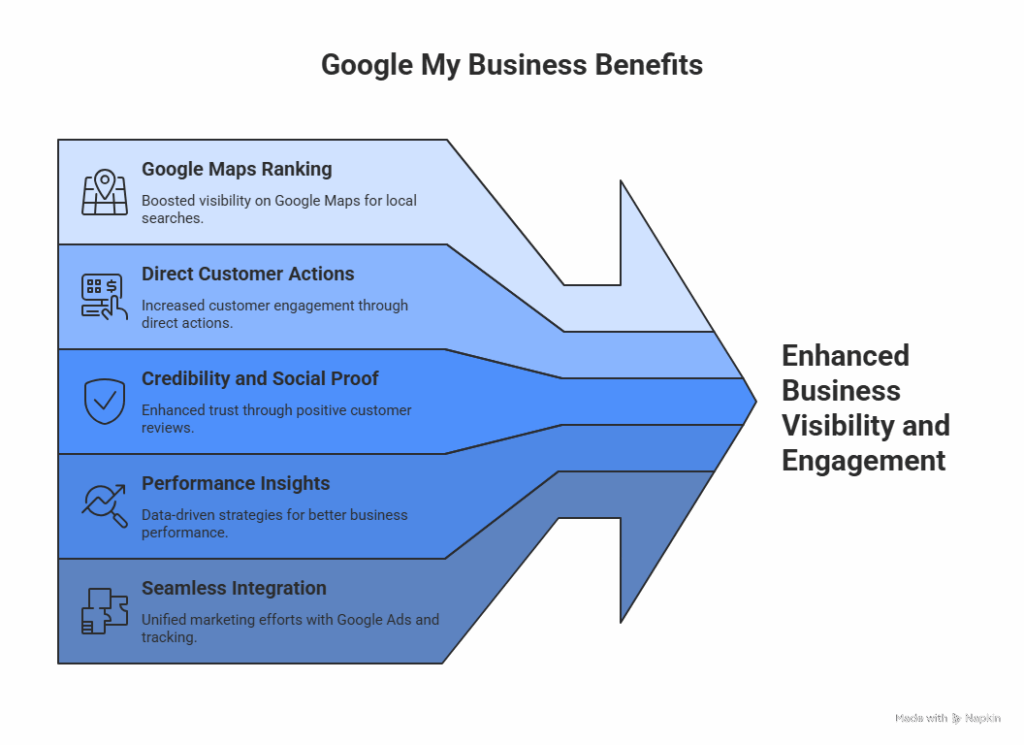
1. Higher Google Maps Ranking & Local Pack Visibility
Your chances of appearing in a completely customized profile increase:
- Google’s Local 3-Pack (the top 3 business listings above organic results)
- Google Maps results for “near me” and location-based queries
2. More Direct Customer Actions
GBP listings drive immediate engagement—often without users visiting your website.
Common actions from search results:
- Click-to-call
- Request directions
- Visit website
- Book an appointment
- Send messages
Explore how Local SEO Services help drive store visits and high-intent leads.
3. Builds Credibility and Social Proof
The trust is created where your customers search—and GBP is the first impression.
- Respond to positive and negative comments to show active participation
- Post team photos, behind-the-scenes, or customer spotlights
- Maintain a verified, frequently updated profile for stronger trust signals
Pro Tip: Use “People Also Ask” on Google to add FAQs directly into your GBP content.
4. Performance Insights to Guide Strategy
GBP includes built-in analytics that help refine your local SEO efforts.
You can track:
- Profile views (Google Search vs. Maps)
- Phone calls, direction requests, and website visits
- Post-performance and photo views
- Popular times and engagement by location
Also Read: Moz’s Guide to GBP Insights and Metrics
5. Seamless Integration with Google Ads & Website Tracking
A connected GBP unlocks full-funnel tracking and advertising benefits:
- Google Ads: Launch Local Campaigns and use location extensions
- Google Analytics: Add UTM tag to track profile-driven traffic
- Third-party solutions: Feature booking tools or AI-driven chat
- GBP Messaging: Engage leads instantly with in-SERP messaging
Conclusion
The key to greater local visibility, trust, and conversion-ready customer attraction in 2025 is an optimized Google Business Profile. From updated business information to compelling photos and timely posts, all contribute to your local SEO success metrics.
Start small—but stay consistent. Even weekly posting and shooting can make a measurable difference.